MacBook Air M5 Review 2026: Is Apple’s Thinnest Laptop Still the Best?
The MacBook Air has been the gold standard for thin and light laptops for years. Apple just released the 2026 MacBook Air with the M5 chip, and the tech world is buzzing.
This laptop promises faster performance, doubled storage, and improved AI capabilities. But does it truly justify the $100 price increase over last year’s M4 model?
This review covers everything from performance benchmarks to battery life, display quality, and real world usability.
Key Takeaways
- The MacBook Air M5 starts at $1,099 for the 13-inch model with 16GB RAM and 512GB SSD. The 15-inch model starts at $1,299. This is $100 more than the M4 model, but you get double the base storage.
- Performance is noticeably faster. The M5 chip delivers roughly 9% to 13% improvement in Geekbench 6 scores and 12% to 18% faster results in Cinebench 2024 compared to the M4.
- Battery life remains excellent at up to 18 hours of video playback. Real world web browsing tests show approximately 15 to 16 hours of use, nearly matching the M4.
- The design is identical to the M4 model. Apple did not change the physical build, display, ports, or keyboard. The same 60Hz Liquid Retina LED panel returns without an OLED upgrade.
- AI performance gets a major boost. The M5 delivers up to 4x faster AI task performance than the M4 and up to 9.5x faster than the original M1 MacBook Air.
- Four color options are available: Silver, Sky Blue, Starlight, and Midnight. Storage can be configured up to 4TB and memory up to 32GB.
Apple MacBook Air M5 13 Inch Overview

- BUILT FOR COLLEGE. AND BEYOND — MacBook Air with the M5 chip packs blazing speed and powerful AI capabilities into an incredibly portable...
- TEAR THROUGH TOUGH ASSIGNMENTS — With its faster CPU and unified memory, the M5 chip delivers even more performance and fluidity across...

Last update on 2026-09-02 / Affiliate links / Images from Amazon Product Advertising API
The 2026 MacBook Air 13 inch with M5 is the latest entry in Apple’s best selling laptop line. Apple announced it on March 3, 2026, with pre-orders starting March 4 and general availability on March 11, 2026. The laptop runs macOS and comes with Apple Intelligence built in.
Apple sells three pre-configured models. The base $1,099 model includes the M5 chip with a 10 core CPU, 8 core GPU, 16GB of unified memory, and a 512GB SSD.
The mid-tier $1,299 model bumps the GPU to 10 cores and doubles storage to 1TB. The top-end $1,499 model adds 24GB of memory while keeping the same 1TB storage.
The laptop weighs just 2.7 pounds and measures 0.44 inches thin. It comes with two Thunderbolt 4 USB-C ports, a MagSafe charging port, and a headphone jack. Wi-Fi 7 support is new this year, and the 12MP Center Stage webcam returns from the M4 model.
M5 Chip Performance and Speed
The Apple M5 processor is the headline upgrade in this laptop. It features a 10 core CPU with four super cores and six efficiency cores. The chip is clocked at approximately 4.46 GHz, slightly higher than the M4’s 4.41 GHz.
In real world benchmarks, the difference is clear. The M5 scored roughly 9% to 13% higher in Geekbench 6 single core and multi core tests. Cinebench 2024 results showed a 12% to 18% improvement over the M4. These gains translate to faster app launches, quicker file exports, and smoother multitasking.
The M5 also outperformed many Windows competitors in its price range. It beat the Intel Lunar Lake based Dell 14 Plus and the Qualcomm Snapdragon X Plus based HP OmniBook 5 14 in most CPU tests. If you are upgrading from an M2 or M1 MacBook Air, the speed difference will feel dramatic. From an M4, the improvement is more modest but still noticeable.
Design and Build Quality
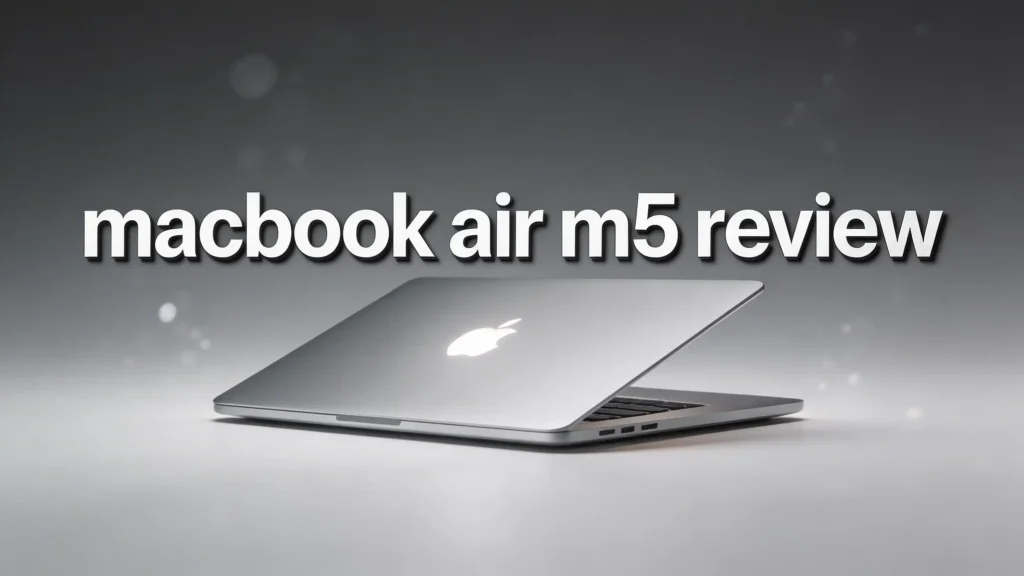
Apple made zero changes to the physical design of the MacBook Air this year. The M5 model looks identical to the M4 version. It keeps the same slim aluminum unibody chassis that has defined this laptop for years.
The build quality remains best in class among ultraportable laptops. The aluminum shell feels premium and rigid. There is no flex in the lid or the keyboard deck. At 2.7 pounds and 0.44 inches thin, this laptop slips easily into any bag or backpack.
Four colors are available: Silver, Sky Blue, Starlight, and Midnight. The Sky Blue option is a subtle, professional looking shade that catches the light at certain angles. The keyboard delivers comfortable, quick feedback with satisfying key travel.
Touch ID on the power button works fast and reliably. The haptic trackpad continues to set the standard for smooth, responsive input. If you liked how the M4 Air looked and felt, you will find the exact same experience here.
Display Quality and Screen Details
The MacBook Air M5 uses the same 13.6 inch Liquid Retina LED display as previous models. It has a native resolution of 2,560 x 1,664 pixels, a 60Hz refresh rate, and a brightness rating of 500 nits.
The screen looks sharp and vibrant for everyday tasks like web browsing, document editing, and video streaming. Colors appear accurate and well balanced. The 500 nit peak brightness makes outdoor use manageable, and the display tested just above Apple’s stated rating.
However, the lack of an OLED option is becoming harder to ignore. Many Windows laptops in the same price range now offer OLED screens with deeper blacks and richer colors. The HP OmniBook 5 14, for example, ships with an OLED display at just $879.99.
A 60Hz refresh rate also feels dated in 2026, as many competitors offer 90Hz or 120Hz panels. Apple likely held off on OLED to keep costs down during the current memory pricing surge. This may change next year, but for now, the display is the one area where the Air feels behind.
Top 3 Alternatives for MacBook Air M5

- 15th Gen Ultra 7-255H 2.00GHz Processor (upto 5.1 GHz, 24MB Cache, 16-Cores, 16-Threads, 6 Performance-cores); Intel Arc Integrated Graphics
- 32GB OnBoard RAM; 802.11be, Bluetooth 5.4, Webcam, Fingerprint, Backlit KB Standard Keyboard
Last update on 2026-09-02 / Affiliate links / Images from Amazon Product Advertising API

- What's In The Box: ASUS Zenbook 14 OLED Laptop, 65W AC adapter, Mytrix 2.4GHz Wireless Headset, Mytrix Laptop Cooling Pad, Lifetime...
- Stunning Visual Experience: Immerse yourself in a 14-inch WUXGA OLED touch display featuring breathtaking 1920x1200 resolution...
Last update on 2026-09-01 / Affiliate links / Images from Amazon Product Advertising API

- Processor - Intel Core Ultra 7 258V, 8C (4P + 4LPE) / 8T, Max Turbo up to 4.8GHz, 12MB
- Memory - 32GB Soldered LPDDR5x-8533, MoP Memory
Last update on 2026-09-02 / Affiliate links / Images from Amazon Product Advertising API
Battery Life and Charging
Apple rates the MacBook Air M5 at up to 18 hours of video playback and up to 15 hours of wireless web browsing. These numbers match the M4 model exactly.
In independent testing, the results back up Apple’s claims. Tom’s Guide measured 15 hours and 30 minutes of real world battery life. Notebookcheck recorded 16 hours and 11 minutes in their WLAN test at 150 nits. The M4 scored almost identically at 16 hours and 13 minutes in the same test.
The laptop ships with a 40W dynamic power adapter that can output up to 60W maximum. It uses a USB-C to MagSafe 3 cable for charging. You can also charge through either of the two Thunderbolt 4 USB-C ports. Battery life remains one of the best in any laptop you can buy today.
You can comfortably get through a full work day or school day without needing a charger. Qualcomm Snapdragon based Windows laptops have started posting longer battery numbers, but the Air remains a top performer.
Apple Intelligence and AI Features
The M5 chip brings a massive improvement in AI processing. Apple claims the M5 delivers up to 4x faster performance for AI tasks compared to the M4. Against the original M1, the improvement jumps to 9.5x faster.
Apple Intelligence is deeply integrated into macOS. It powers features like advanced Siri responses, text summarization, image generation, and writing assistance tools. The Neural Accelerator in each GPU core handles on-device AI processing without sending data to the cloud.
This matters for privacy conscious users. Your AI tasks run locally on the M5 chip instead of relying on remote servers. Photo editing gets smarter object recognition. Mail and Messages offer more accurate predictive text.
Safari can summarize long articles quickly. If you use Apple’s ecosystem heavily, the AI improvements alone make this a meaningful upgrade over older MacBook Air models.
Keyboard, Trackpad, and Input Experience
The MacBook Air M5 keeps the same keyboard and trackpad as the M4 model. The backlit Magic Keyboard provides a comfortable typing experience with reliable key spacing and good tactile feedback.
Heavy typists may notice the keys bottom out occasionally due to the thin chassis. This is expected on a laptop this slim. The key travel is shallow compared to desktop keyboards but perfectly fine for extended typing sessions.
The Force Touch trackpad remains an industry leader. It delivers smooth, accurate cursor movement and supports all macOS gestures.
Pinch to zoom, swipe between desktops, and Force Click all respond instantly. Touch ID on the power button provides fast biometric login and Apple Pay authentication.
The quad speaker system delivers clear, loud audio that handles video calls, music, and movie playback well. It will not replace external speakers, but the output quality is impressive for such a thin laptop.
Ports, Connectivity, and Wireless
The MacBook Air M5 offers the same port layout as previous models. You get two Thunderbolt 4 USB-C ports on the left side, a MagSafe 3 charging port, and a 3.5mm headphone jack on the right side.
Both USB-C ports support 40Gbps data transfer speeds, charging, and DisplayPort video output. You can connect up to two external displays at 6K/60Hz or one display at 8K/60Hz. This dual monitor support was added with the M4 Air and remains a welcome feature.
The big connectivity upgrade this year is Wi-Fi 7. This latest wireless standard offers significantly faster speeds and lower latency compared to Wi-Fi 6E. Bluetooth 5.3 handles wireless peripherals and AirPods connections.
The lack of USB-A ports, an SD card slot, or HDMI output may bother some users. A dongle or hub solves this, but it adds cost and clutter. This minimal port selection has been the MacBook Air standard for several years now.
Webcam and Video Calling
The 12MP Center Stage webcam returns on the M5 MacBook Air. This camera was first introduced on the M4 Air last year and delivers noticeably better video quality than the older 1080p FaceTime camera.
Center Stage uses machine learning to keep you centered in the frame as you move during video calls. It works with FaceTime, Zoom, Microsoft Teams, and other popular video apps. The image quality is crisp and clear with accurate colors and good low light performance.
This webcam is one of the features that separates the MacBook Air from the more affordable MacBook Neo, which lacks it. If you spend a lot of time on video calls for work or school, this camera makes a real difference.
The three-microphone array does a solid job of capturing your voice clearly while reducing background noise. It handles conference calls and recordings well for a built-in system.
Storage and Memory Options
Apple doubled the base storage on the MacBook Air M5. The starting model now ships with 512GB SSD instead of the 256GB that came with the base M4 Air. This change alone accounts for much of the $100 price increase.
The SSDs in the M5 Air are also up to 2x faster in read and write speeds compared to the M4 Air’s drives. This means faster file transfers, quicker app installations, and shorter boot times.
Memory starts at 16GB of unified memory across all models. The $1,499 configuration upgrades to 24GB. Through custom configuration, you can go up to 32GB of memory and 4TB of SSD storage.
For most users, the base 16GB/512GB setup handles everyday tasks, web browsing, and light creative work without issue. Power users who edit video or run multiple professional apps should consider the 24GB or 32GB options.
The unified memory architecture means the GPU shares system memory, so more RAM benefits graphics tasks too.
MacBook Air M5 vs MacBook Air M4
- BUILT FOR COLLEGE. AND BEYOND — MacBook Air with the M5 chip packs blazing speed and powerful AI capabilities into an incredibly portable...
- TEAR THROUGH TOUGH ASSIGNMENTS — With its faster CPU and unified memory, the M5 chip delivers even more performance and fluidity across...
Last update on 2026-09-02 / Affiliate links / Images from Amazon Product Advertising API
The most common question is whether the M5 is worth upgrading from the M4. Here is a direct comparison. Performance is 9% to 18% faster depending on the benchmark. The M5 handles AI tasks up to 4x faster than the M4.
Battery life is essentially the same. Both models rate at 18 hours of video playback. Independent tests confirm nearly identical real world results. The physical design, display, keyboard, trackpad, ports, and webcam are completely unchanged.
The base model now includes 512GB storage instead of 256GB. SSDs are faster. Wi-Fi 7 replaces Wi-Fi 6E. If you own an M4 MacBook Air, there is no strong reason to upgrade. The improvements are incremental.
If you own an M3, M2, or older model, the M5 Air offers a significant leap in speed, storage, and features. Anyone still using a pre-2020 Intel based MacBook will notice a transformative difference in every aspect of daily use.
Who Should Buy the MacBook Air M5
The MacBook Air M5 is the best laptop for most people in 2026. It suits students, professionals, creative hobbyists, and anyone who wants a reliable, fast, and portable computer.
Students will appreciate the long battery life, lightweight design, and powerful performance for research, writing, and presentations. Professionals get a machine that handles email, spreadsheets, video calls, and document editing without breaking a sweat.
Creative users can edit photos in Lightroom, work in GarageBand, and handle light video editing in Final Cut Pro. The M5 chip provides enough muscle for these tasks. Gamers should know this laptop plays casual and mid-tier games well, but it is not a gaming machine.
Titles like World of Warcraft run fine, but demanding AAA games require a dedicated gaming laptop.
If you are deep in the Apple ecosystem with an iPhone and iPad, the Continuity features make the Air even more valuable. AirDrop, Handoff, and Universal Clipboard work seamlessly across devices.
Pricing and Value for Money
The MacBook Air M5 13 inch starts at $1,099. The 15 inch model starts at $1,299. Education pricing drops the 13 inch to $999 for eligible students and teachers.
The $100 increase over the M4 Air’s $999 starting price is justified by the doubled base storage (512GB vs 256GB) and the faster M5 chip. The mid-tier $1,299 configuration with 10 GPU cores and 1TB SSD offers the best value for most buyers who want extra graphics performance and storage.
The top-end $1,499 model adds 24GB of RAM. Custom configurations can push the price past $2,000 with maximum storage and memory. Compared to Windows alternatives, the MacBook Air M5 remains competitive.
The Dell XPS 14 starts around $1,600 with an OLED screen. The ASUS Zenbook 14 OLED offers similar specs for less, but lacks macOS and Apple’s ecosystem. For Apple users, the MacBook Air M5 delivers outstanding value at its price point.
Final Verdict on the MacBook Air M5
The 2026 MacBook Air M5 earns its place as one of the best laptops you can buy today. It delivers faster performance, doubled base storage, Wi-Fi 7, and dramatically better AI capabilities. The build quality, keyboard, trackpad, and battery life remain among the best in any laptop.
The missing OLED display and unchanged design hold it back from perfection. If Apple adds an OLED screen next year, that model will be a must buy. For now, the M5 Air is still the laptop to beat in its class.
If you own an M4 Air, skip this upgrade. If you have an M3 or older MacBook, this is an excellent time to buy. The MacBook Air M5 continues Apple’s tradition of delivering a premium, reliable, and fast laptop that just works for the vast majority of users. It earns a strong recommendation.
Frequently Asked Questions
Is the MacBook Air M5 worth buying in 2026?
Yes. The MacBook Air M5 is one of the best laptops available right now. It offers excellent performance, long battery life, and premium build quality at a fair price. If you need a new laptop and prefer macOS, this is the top pick for most users.
How much faster is the M5 chip compared to the M4?
The M5 delivers approximately 9% to 13% faster results in Geekbench 6 and 12% to 18% faster performance in Cinebench 2024. AI processing is up to 4x faster. The difference is noticeable but not dramatic for everyday tasks.
Does the MacBook Air M5 have an OLED display?
No. The MacBook Air M5 uses the same Liquid Retina LED display with 2,560 x 1,664 resolution and a 60Hz refresh rate. Apple has not added OLED to the MacBook Air line yet. This remains the biggest criticism of the 2026 model.
Should I upgrade from the MacBook Air M4 to M5?
For most users, no. The improvements are incremental. The design, display, keyboard, and battery life are identical. If you need faster AI performance or want the doubled base storage, the upgrade makes more sense. Otherwise, the M4 remains a great machine.
What colors does the MacBook Air M5 come in?
The MacBook Air M5 is available in four colors: Silver, Sky Blue, Starlight, and Midnight. All colors are available across all configurations and both the 13 inch and 15 inch models.
Can the MacBook Air M5 connect to two external monitors?
Yes. The MacBook Air M5 supports two external displays at up to 6K resolution at 60Hz through its Thunderbolt 4 USB-C ports. You can also connect one display at 8K/60Hz or 4K/240Hz.

Hi there! I’m Jinny, the tech enthusiast behind GadgetInsight. I spend my days unboxing the newest devices, diving deep into their features, and figuring out how they can genuinely improve your life – or if they’re worth your hard-earned money at all.