HP Victus 15.6 FHD Gaming Laptop Review 2026: Best Budget Pick?
Are you searching for a gaming laptop that delivers strong performance without draining your wallet? The HP Victus 15.6 FHD has earned a strong reputation as one of the most popular budget gaming laptops on the market. It offers a 144Hz display, modern processors, and dedicated NVIDIA graphics at an accessible price point.
This 2026 review covers everything you need to know before buying. We tested its gaming chops, productivity skills, thermal behavior, and build quality. We also compare it against rivals like the Lenovo LOQ and Acer Nitro V so you can decide if it matches your needs.
By the end of this post, you will understand who the HP Victus 15 fits best, where it shines, and where it falls short. Let us jump straight into the details.
In a Nutshell
- Strong gaming value: The laptop pairs a 144Hz FHD display with RTX 2050, RTX 3050, or RTX 4050 GPU options, making it a solid pick for 1080p gaming.
- Modern processors: You can pick AMD Ryzen 5 7535HS, Ryzen 7 7435HS, or Intel Core i5 13420H configurations with DDR5 memory for snappy multitasking.
- Cool thermals for the price: HP improved the cooling system with dual fans and wider vents. Surface temps stay comfortable during long sessions.
- Comfortable typing: The full size backlit keyboard includes a number pad, which suits both gamers and students.
- Trade offs to know: The plastic chassis flexes a bit, and battery life under gaming load sits around two hours. The webcam quality is average.
- Best for: Students, casual gamers, and creators who want a capable 1080p machine under $1,000.
HP Victus 15.6 FHD Gaming Laptop Overview

- 【Memory & Storage】16GB high-bandwidth DDR5 RAM to smoothly run multiple applications and browser tabs all at once; 512GB PCIe M.2 Solid...
- 【AMD Processor】AMD Ryzen 5 7535HS ( 3.3 GHz base clock, up to 4.55 GHz max boost clock, 16 MB cache, 6 cores, 12 threads)
Last update on 2026-09-30 / Affiliate links / Images from Amazon Product Advertising API
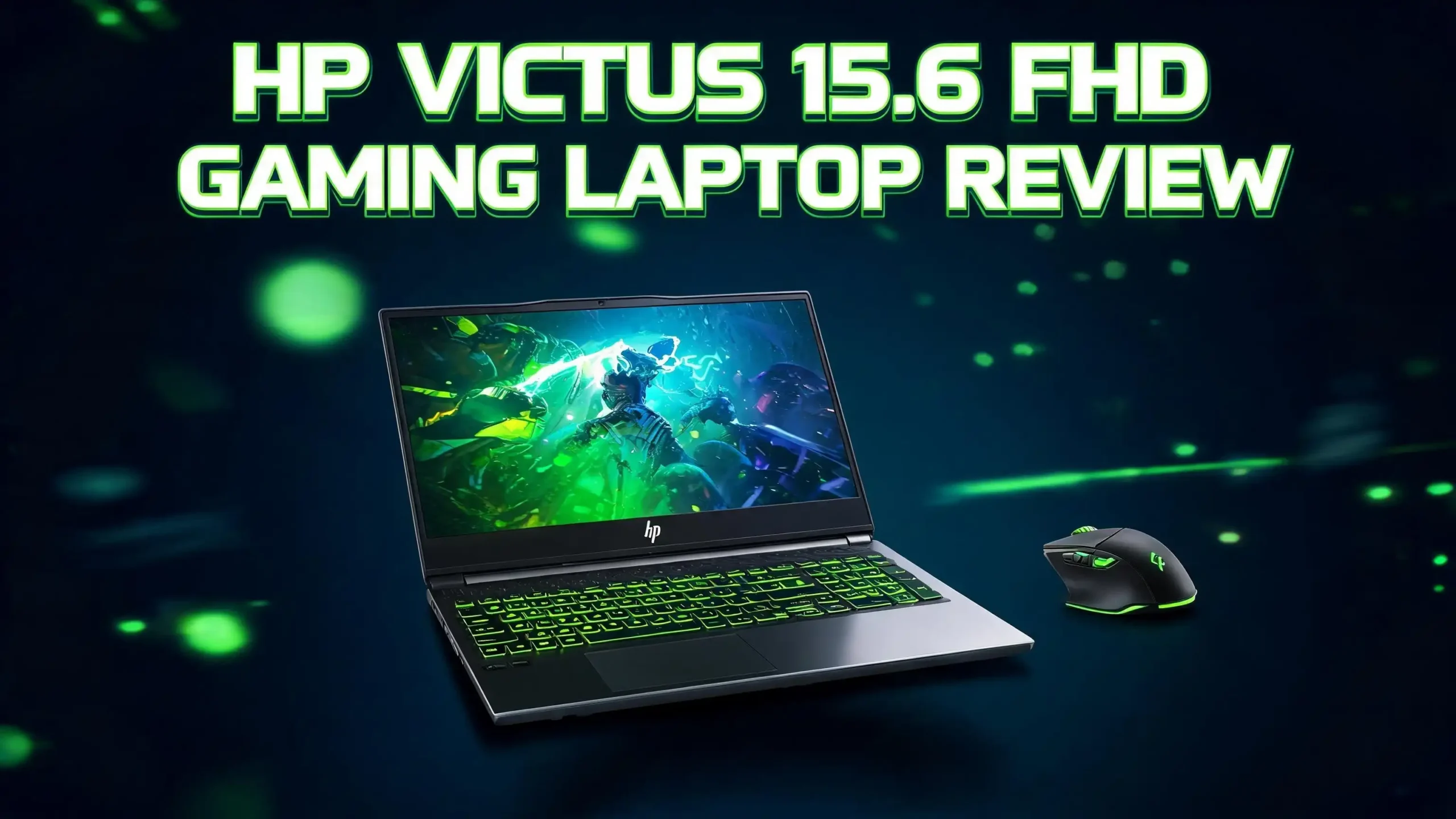
The HP Victus 15 is HP’s entry level gaming laptop. It sits below the OMEN series but uses many of the same design ideas. The 2026 model keeps the clean look that made earlier versions popular. You get a 15.6 inch FHD IPS display with a smooth 144Hz refresh rate.
HP ships this laptop with several configurations. Buyers can pick AMD Ryzen or Intel Core processors. Graphics options range from the RTX 2050 to the RTX 4050. Memory starts at 8GB DDR5 and scales up to 32GB. Storage uses fast PCIe NVMe SSDs.
The chassis feels lighter than most rivals at about 5 pounds. HP uses a matte plastic finish with a sharp V logo on the lid. You also get a full size keyboard with number pad, decent port selection, and Wi Fi 6 connectivity. It is a sensible package that targets first time gaming laptop buyers.
Design and Build Quality
The HP Victus 15 sports a clean modern look. The chassis comes in Mica Silver or Performance Blue, both of which avoid the loud gamer aesthetic. The lid feels smooth to the touch, while the deck has a soft matte finish that resists fingerprints.
Build quality is mostly plastic. The keyboard deck stays firm during typing, but the lid does flex when you twist it. This is normal for laptops in this price range. The hinge feels sturdy and supports one hand opening without trouble.
At 14.09 x 10.04 x 0.93 inches and 5.06 pounds, the Victus 15 is not the lightest 15 inch gaming laptop. Still, it slides into most backpacks easily. The bottom panel uses large vent grilles to pull cool air into the fans. Rubber feet lift the laptop slightly for better airflow during gaming sessions.
Display: 15.6 Inch FHD 144Hz Panel
The 15.6 inch Full HD IPS display is one of the star features. It runs at a 1920 by 1080 resolution with a 144Hz refresh rate. This combination gives you smooth motion in fast paced games like Valorant, Apex Legends, and Call of Duty.
The panel uses a matte anti glare coating. This finish helps in bright rooms and reduces eye strain during long sessions. Viewing angles stay wide thanks to IPS technology, so colors stay consistent from the sides.
Color accuracy is decent for the price. The screen covers about 62 percent of the sRGB range on most models. This is fine for gaming and casual content creation. However, professional photo editors might want a wider gamut display.
Brightness peaks near 250 nits. Outdoor use can feel dim, but indoor visibility is solid. The bezels are thin on three sides, which gives the laptop a modern compact look despite its mid range price tag.
Top 3 Alternatives for HP Victus 15.6 FHD Gaming Laptop
If you want to compare the HP Victus with other budget gaming laptops, here are three strong alternatives worth your attention.

- MULTITASKING MASTER: The Lenovo LOQ laptop delivers powerhouse performance in a sleek, compact chassis that allows you to seamlessly...
- POWER-PACKED PERFORMANCE: Dominate your gaming sessions with lightning-fast performance at home or on the move with the powerful AMD Ryzen...
Last update on 2026-09-30 / Affiliate links / Images from Amazon Product Advertising API
The Lenovo LOQ 15 pairs an AMD Ryzen 7 8845HS with the RTX 4050. It pushes more GPU wattage than the Victus, giving you stronger frame rates in demanding titles.

- Beyond Performance: The Intel Core i5-13420H processor goes beyond performance to let your PC do even more at once. With a first-of-its-kind...
- AI-Powered Graphics: The state-of-the-art GeForce RTX 4050 graphics (194 AI TOPS) provide stunning visuals and exceptional performance. DLSS...
Last update on 2026-09-30 / Affiliate links / Images from Amazon Product Advertising API
The Acer Nitro V 15 brings a 165Hz display and Intel Core i5 13420H power with RTX 4050 graphics. The slightly faster panel makes it great for competitive shooters.

- READY FOR ANYTHING - Jump right into the action with Windows 11, an AMD Ryzen 7 7435HS processor, and an NVIDIA GeForce RTX 4050 Laptop GPU...
- SWIFT MEMORY AND STORAGE – Experience both fast multitasking with 16GB of DDR5-4800MHz memory and loading times with 512GB of PCIe...
Last update on 2026-09-30 / Affiliate links / Images from Amazon Product Advertising API
The ASUS TUF Gaming A15 is built tougher with military grade durability and combines Ryzen 7 7435HS with RTX 4050. It also covers 100 percent sRGB for color critical work.
Processor Performance and Daily Use
The HP Victus 15 offers several CPU choices. The most common in 2026 are the AMD Ryzen 5 7535HS, the Ryzen 7 7435HS, and the Intel Core i5 13420H. Each handles gaming and productivity well in its own way.
The Ryzen 5 7535HS uses six cores and twelve threads. It hits boost speeds near 4.55 GHz. This chip handles modern AAA games, video calls, and office workloads without slowing down. The Ryzen 7 model adds two more cores for heavier multitasking.
The Intel Core i5 13420H option uses Intel’s hybrid architecture. It pairs performance and efficiency cores for better battery life during light tasks. Day to day use feels snappy across all configurations.
Boot times sit under 15 seconds thanks to the NVMe SSD. App launches feel instant. Background tasks like Chrome with 20 tabs, Discord, and Spotify barely affect gaming performance.
Graphics and Gaming Performance
The graphics options decide how well the laptop plays modern games. The base RTX 2050 model handles esports titles like CS2, Valorant, and Fortnite at high settings above 100 fps. It struggles with the newest AAA games at high settings.
The RTX 3050 6GB version offers a middle ground. You can play games like Hogwarts Legacy and Cyberpunk 2077 at medium settings around 50 to 60 fps. DLSS support helps boost frame rates in supported titles.
The RTX 4050 6GB model is the sweet spot for most gamers. It plays Call of Duty Warzone at high settings near 80 fps. Spider Man Remastered runs at 70 fps with ray tracing on low. Frame Generation through DLSS 3 unlocks even higher frame rates.
HP gives the RTX 4050 a TGP of around 75W. This is lower than the Lenovo LOQ’s 115W. Still, the performance is plenty for 1080p gaming. The cooling system keeps the GPU under control during long sessions.
Memory and Storage Options
The HP Victus 15 ships with DDR5 memory across all 2026 models. DDR5 5600 MHz speeds keep the CPU fed during gaming and content creation. The base model includes 8GB, but 16GB is the sweet spot.
You can upgrade memory yourself. The laptop has two SODIMM slots, so you can swap or add RAM down the road. Most users will be happy with 16GB for years. Power users can push it to 32GB or more for video editing.
Storage uses PCIe Gen 4 NVMe SSDs. The 512GB option is common and offers fast load times in games like Starfield and Forza Horizon 5. You can upgrade to 1TB or 2TB at purchase, or swap the drive later.
The laptop has one M.2 2280 slot. Some configurations include a second slot, but check the spec sheet before buying. Adding a second SSD is a cheap way to expand storage for big game libraries.
Keyboard, Touchpad, and Audio
The HP Victus 15 includes a full size backlit keyboard with a number pad. Key travel measures around 1.5mm, which feels comfortable for both typing and gaming. The keys are quiet and offer a soft yet defined press.
The backlight uses a single zone white LED. There is no RGB lighting at this price. The arrow keys are full size, which is great for gamers who use them as movement keys. Function row controls let you tweak volume, brightness, and airplane mode quickly.
The touchpad is a generous size with a smooth glass like surface. It supports Windows Precision drivers, so multi finger gestures work well. Most gamers will plug in a mouse anyway, but the touchpad handles daily tasks just fine.
Audio comes from dual speakers tuned by B&O. They sound clear with decent mid range. Bass is light, but volume gets loud enough to fill a small room. Headphones are still recommended for the best gaming experience.
Thermals and Noise Levels
HP redesigned the cooling system on recent Victus 15 models. The laptop uses two fans, three heat pipes, and four exhaust vents. Wide intake grilles on the bottom pull cool air into the chassis.
During gaming, CPU temperatures sit between 80 and 90 degrees Celsius. GPU temps stay around 75 to 82 degrees. These numbers are good for an entry level gaming laptop. The keyboard deck stays cool in the WASD area, which keeps your hands comfortable.
Fan noise gets loud under full load. You will hear a clear whoosh during intense gaming sessions. Headphones cover this easily. In Quiet Mode, the fans stay almost silent during web browsing and video playback.
HP includes the OMEN Gaming Hub software. This app lets you switch between Performance, Balanced, and Quiet modes. It also lets you adjust the fan curve manually for power users.
Ports and Connectivity
The HP Victus 15 offers a solid port selection for a gaming laptop. On the left side you get an Ethernet jack, HDMI 2.1, one USB Type C with DisplayPort support, and a 3.5mm combo audio jack. The right side adds two USB Type A ports and an SD card reader on some models.
The HDMI 2.1 port supports 4K output at 120Hz. This is great if you want to connect the laptop to a TV or external monitor for couch gaming. The USB Type C port handles data and display output, but it does not charge the laptop.
Wireless connectivity uses Wi Fi 6 and Bluetooth 5.3. Internet speeds stay strong even at the edge of router range. Bluetooth 5.3 supports modern headsets and controllers like the Xbox Wireless and DualSense.
The barrel charging port keeps USB ports free during long sessions. The included power brick is 200W on RTX 4050 models and 150W on lower tier configurations.
Battery Life and Portability
Battery life is not the strongest point of any gaming laptop. The HP Victus 15 uses a 4 cell 70Wh battery. During light tasks like web browsing or video streaming, you can expect about 6 to 7 hours of use.
Under gaming, battery life drops sharply. You will get around 90 minutes to two hours away from the charger. This is normal for laptops with dedicated GPUs. The Victus matches its rivals like the Lenovo LOQ and Acer Nitro V here.
The laptop supports HP Fast Charge. You can refill 50 percent in about 30 minutes. This is handy when you need to top up between classes or meetings.
Portability is decent. At just over 5 pounds, the laptop is heavier than ultrabooks but light enough for daily commute. The power brick adds about 1.5 pounds, so plan for some weight in your bag if you carry it daily.
Software and Special Features
The HP Victus 15 ships with Windows 11 Home. HP keeps the bloatware light compared to past models. You get the OMEN Gaming Hub, MyHP, and a few support utilities. Most users can remove unneeded apps in minutes.
The OMEN Gaming Hub is the star of the show. It lets you control fan speeds, monitor temperatures, and switch performance modes. The app also includes a network booster for lower ping in online games.
HP includes a 720p webcam with a physical privacy shutter. The image quality is average but fine for Zoom and Google Meet calls. The built in microphones pick up your voice clearly with light noise reduction.
Security features include a fingerprint reader on some models. You also get a TPM 2.0 chip for Windows Hello security. These features add value for users who carry the laptop to school or work.
Who Should Buy the HP Victus 15?
The HP Victus 15 fits several types of buyers. Students who need a capable laptop for school and gaming will love the value. The 144Hz display and dedicated GPU handle both classwork and play with ease.
Casual gamers who want to enjoy modern AAA games at 1080p will get great value. The RTX 4050 configuration delivers smooth performance in popular titles like Fortnite, Apex Legends, and Cyberpunk 2077. The cool design fits both home and office use.
Content creators on a budget can also benefit. The DDR5 memory and NVMe SSD speed up Premiere Pro and Photoshop projects. The RTX GPU accelerates video exports and 3D rendering tasks.
This laptop is less ideal for competitive esports pros who want 240Hz displays or creative pros needing color accurate panels. Higher tier laptops like the HP OMEN or ROG Strix serve those needs better. For everyone else, the Victus 15 is a smart pick.
Pros and Cons of the HP Victus 15
Every laptop has strengths and weaknesses. The HP Victus 15 leans heavily on its strengths, but it also has trade offs worth knowing.
On the pros side, you get strong 1080p gaming performance for the price. The 144Hz IPS display is smooth and bright enough for indoor use. The full size keyboard with number pad is comfortable for typing. Thermal management is better than past generations, and HP keeps the bloatware light.
The DDR5 memory and PCIe Gen 4 SSD give the laptop a snappy feel. The user upgradeable RAM and storage extend its useful life. HDMI 2.1 and Wi Fi 6 round out a modern port selection.
On the cons side, the plastic chassis flexes a bit under pressure. Battery life under gaming sits at around two hours. The webcam quality is average compared to business laptops. Fan noise gets loud under heavy load.
The display covers only 62 percent sRGB on most models, which limits color critical work. Still, these trade offs are standard for laptops in this price bracket.
Frequently Asked Questions
Is the HP Victus 15 a good gaming laptop in 2026?
Yes, the HP Victus 15 is a strong budget gaming laptop in 2026. It handles modern AAA games at 1080p with the RTX 4050 model. Esports titles run smoothly above 100 fps. It is a great pick for students and casual gamers.
Can the HP Victus 15 run Cyberpunk 2077 and other AAA games?
The RTX 4050 model runs Cyberpunk 2077 at medium to high settings around 50 to 60 fps. With DLSS Frame Generation turned on, you can hit 80 fps. Other AAA games like Starfield and Hogwarts Legacy also run well at 1080p.
How long does the HP Victus 15 battery last?
The battery lasts about 6 to 7 hours during light tasks like browsing and video streaming. Under gaming load, expect around 90 minutes to two hours. HP Fast Charge refills 50 percent in about 30 minutes.
Can I upgrade the RAM and storage on the HP Victus 15?
Yes, the HP Victus 15 has two SODIMM slots for DDR5 memory. You can upgrade up to 32GB or more depending on the configuration. The M.2 NVMe SSD is also user replaceable, so you can swap or add storage easily.
How does the HP Victus 15 compare to the Lenovo LOQ?
The Lenovo LOQ offers more GPU wattage and slightly better gaming performance. The HP Victus 15 wins on price, design simplicity, and keyboard comfort. Both are solid choices, but the LOQ edges ahead for raw frame rates.
Does the HP Victus 15 overheat during gaming?
No, the HP Victus 15 stays within safe thermal limits during gaming. CPU temps hover around 85 degrees Celsius and GPU around 80 degrees. The dual fan system keeps the keyboard deck cool near the WASD keys.
What is the screen quality like on the HP Victus 15?
The 15.6 inch FHD IPS display runs at 144Hz with anti glare coating. Color coverage is around 62 percent sRGB, which is fine for gaming. Brightness peaks near 250 nits, making it best for indoor use.
Final Verdict
The HP Victus 15.6 FHD Gaming Laptop remains one of the best budget gaming laptops in 2026. It blends strong 1080p gaming performance, a smooth 144Hz display, and modern processors at an attractive price. The clean design and full size keyboard make it useful beyond gaming.
It is not perfect. The plastic build flexes a bit, and battery life under gaming is short. Still, these are normal trade offs at this price. If you want a capable gaming laptop under $1,000, the HP Victus 15 deserves a top spot on your list.
For students, casual gamers, and budget creators, the Victus 15 hits the sweet spot. Pair it with a good gaming mouse and headset, and you have a complete setup ready for years of fun and productivity.

Hi there! I’m Jinny, the tech enthusiast behind GadgetInsight. I spend my days unboxing the newest devices, diving deep into their features, and figuring out how they can genuinely improve your life – or if they’re worth your hard-earned money at all.