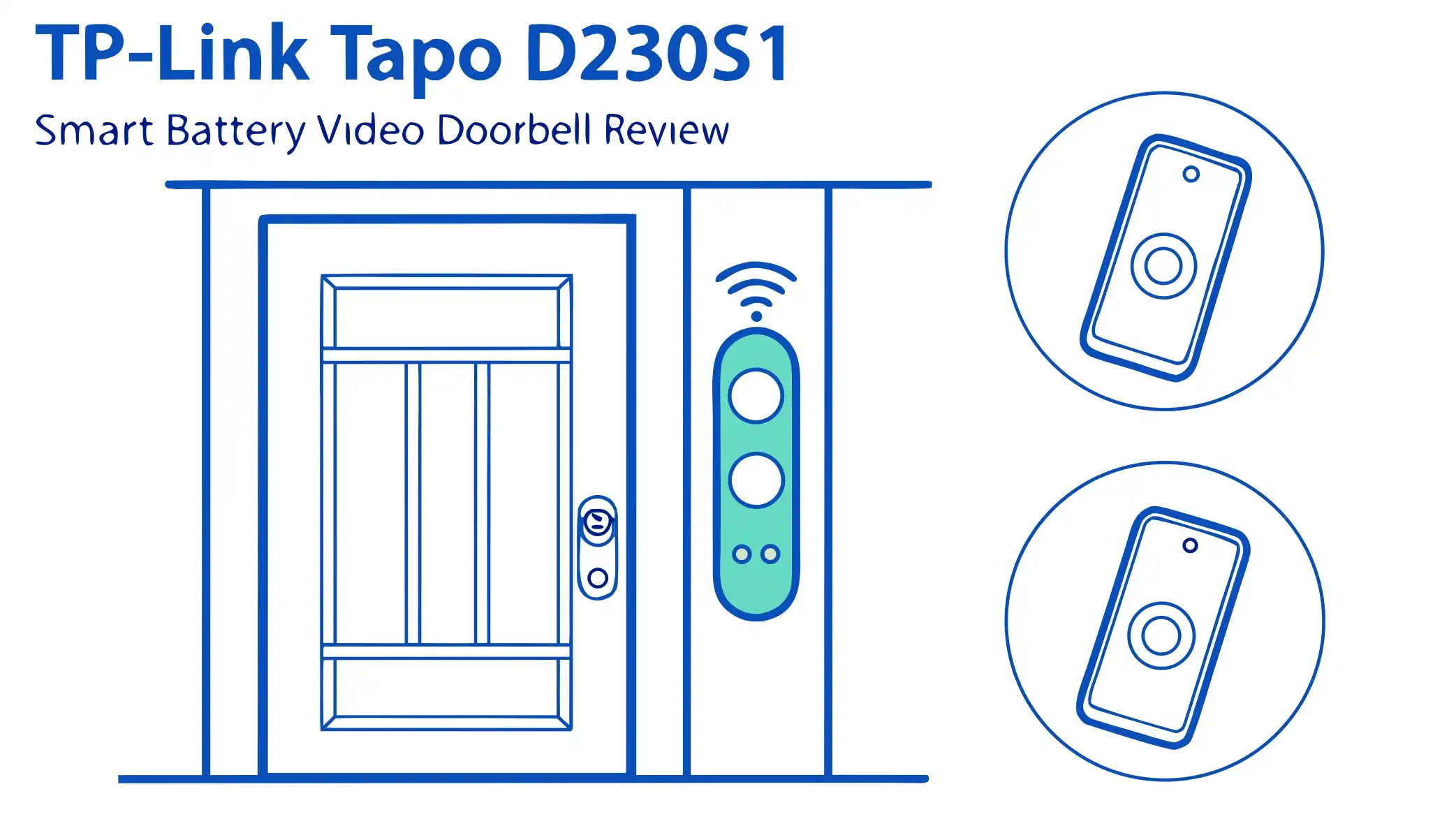
TP-Link Tapo D230S1 Smart Battery Video Doorbell Review: A Complete Guide
Your front door deserves better protection. The TP-Link Tapo D230S1 Smart Battery Video Doorbell brings professional security features to your doorstep without breaking the bank. This device combines crystal clear 2K video quality with intelligent AI detection and exceptional battery life.
You get complete control over who approaches your home, day or night. The doorbell works seamlessly with your smart home setup and requires no monthly subscription fees for basic features.
The color night vision ensures you never miss important details even in complete darkness. Installation takes just minutes without any complicated wiring. Your home security gets a major upgrade with this feature-packed device that actually delivers on its promises.
Key Takeaways
- 2K Resolution Excellence: The D230S1 captures video at an impressive 2560 x 1920 pixels, which means you see every facial feature and package detail clearly. This resolution stands above standard 1080p doorbells and helps identify visitors accurately.
- Extended Battery Performance: The powerful 6700mAh removable battery delivers up to 180 days of operation on a single charge when you experience 10 to 20 events daily. This eliminates the constant charging hassle that plagues other wireless doorbells.
- True Color Night Vision: Unlike basic infrared systems, the integrated spotlight and starlight sensor reveal full color details even in pitch darkness. You can distinguish between different colored clothing or vehicle types at night.
- Smart Hub System: The included H200 hub provides local storage support up to 512GB via microSD card and connects multiple Tapo devices. You maintain control over your footage without mandatory cloud subscriptions.
- AI Detection Capabilities: The doorbell intelligently identifies people and packages separately, sending targeted notifications only when motion matters. This reduces false alerts from passing cars or animals significantly.
- Flexible Installation Options: The completely wireless design lets you mount the doorbell anywhere around your entrance without drilling holes for wires or calling an electrician. You simply screw the mounting plate and attach the doorbell unit.
TP-Link Tapo D230S1 Smart Battery Video Doorbell

- 【2K+/5MP Live View】Always know what happens in front of your door through the Tapo app. With the starlight sensor and 2K 5MP resolution,...
- 【Color Night Vision】With the embedded spotlight and starlight sensor, Tapo D230S1 reveals high-fidelity details and color at night.
The TP-Link Tapo D230S1 represents a significant leap forward in wireless doorbell technology. This device brings together high resolution imaging with practical smart features that homeowners actually need. The 2K 5MP camera sensor captures remarkable detail across a 160-degree diagonal viewing angle. You see visitors from head to toe even when they stand close to your door. The 4:3 aspect ratio provides superior vertical coverage compared to traditional 16:9 doorbells. This means you can spot packages left at your doorstep or see children clearly.
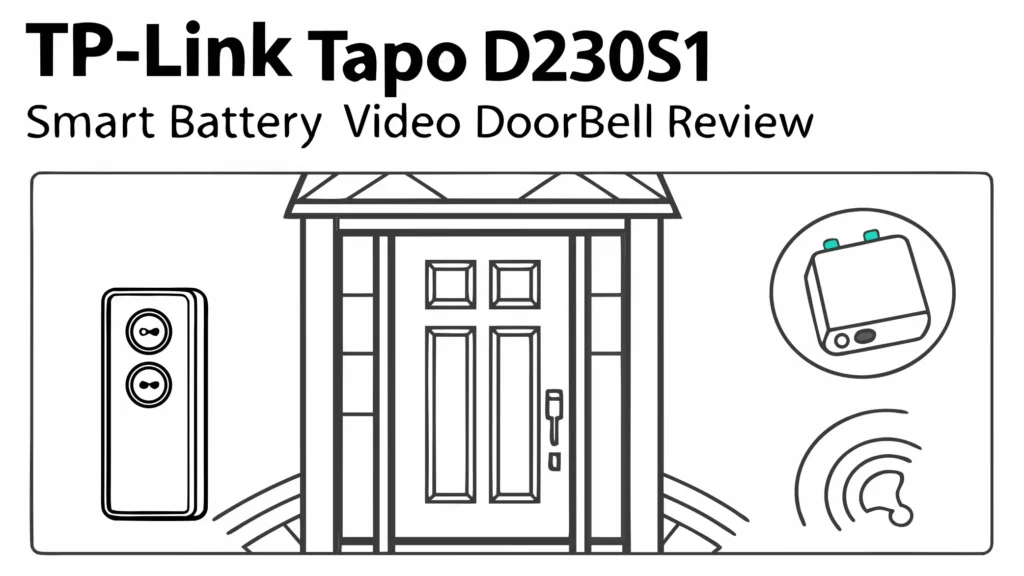
The doorbell includes the H200 smart hub in the package. This hub acts as the brain of your Tapo ecosystem and stores all recordings locally. You gain the freedom to expand your system with additional Tapo cameras and sensors. The hub supports up to 64 sub-1G devices including switches, sensors, and buttons. You can add up to 4 cameras or video doorbells to create a comprehensive security network. The ethernet port ensures stable connectivity while the microSD card slot accepts cards up to 512GB capacity.
Your visitors receive immediate attention through the quick response system. The doorbell processes button presses in seconds and sends notifications to your phone instantly. The two-way audio lets you speak with delivery drivers or guests even when you’re away from home. The audio quality remains clear and natural without the tinny sound that cheaper doorbells produce. You can provide delivery instructions or ask visitors to wait while you come to the door.
The device integrates seamlessly with major smart home platforms. Amazon Alexa and Google Assistant support means you can use voice commands to check your front door. You can say “Alexa, show me the front door” to view live footage on Echo Show devices. The Tapo app provides complete control over all settings and features. You can adjust motion sensitivity, set activity zones, customize notification preferences, and review recorded events. The interface uses simple menus that make sense even for first-time smart home users.
Crystal Clear 2K Video Quality That Captures Every Detail
The camera system delivers exceptional image quality that sets new standards for wireless doorbells. The 2560 x 1920 pixel resolution provides 5 megapixels of total detail. This high resolution means you can zoom into recordings without losing clarity. Facial features become recognizable even when visitors stand several feet away. License plate numbers on nearby vehicles appear readable in good lighting conditions. The image processor handles different lighting situations effectively and maintains balanced exposure.
The 160-degree diagonal field of view covers your entire entrance area comprehensively. You see beyond just the person standing directly in front. The peripheral vision captures anyone approaching from the sides. Package thieves cannot hide just outside the frame. The ultra-wide coverage also helps you monitor multiple doorstep areas simultaneously. You spot packages left beside the door or items placed near railings.
Daytime video quality excels with natural colors and sharp focus throughout the frame. The camera handles bright sunlight without washing out the image. Shadow areas maintain visible detail thanks to the wide dynamic range processing. Colors appear accurate and lifelike rather than oversaturated or dull. The lens quality remains consistent across the entire viewing area without soft corners or distortion.
The frame rate runs at 15 frames per second which provides smooth motion for most doorbell scenarios. While not cinema-quality, this frame rate captures walking visitors clearly. Fast movements like running might show some motion blur but remain identifiable. The compression system uses H.264 encoding that balances file size with image quality efficiently. Your recordings consume reasonable storage space without sacrificing visual clarity.
Full Color Night Vision Technology
The night vision capabilities represent one of the D230S1’s strongest features. Traditional doorbells switch to black and white infrared mode after dark. This device uses a different approach that maintains full color visibility throughout the night. The integrated spotlight activates when motion gets detected. This white light illuminates your entrance area brightly enough for color imaging. The starlight sensor works alongside the spotlight to gather maximum light information.
The spotlight brightness provides adequate illumination for the camera without being excessively harsh. Visitors can see where they’re standing and feel comfortable. The light appears warm and welcoming rather than aggressive or intimidating. You can adjust the spotlight settings through the app to match your preferences. Some users might want maximum brightness for security while others prefer subtler illumination.
Low light performance impresses even without the spotlight active. The large image sensor collects enough ambient light from street lamps or porch lights. The processing algorithms reduce noise effectively and maintain clean images. Colors remain distinguishable even in very dim conditions. You can identify clothing colors, vehicle types, and other important details that disappear with standard infrared systems.
The night vision range extends approximately 7 meters from the doorbell unit. This distance covers typical front porch and walkway areas completely. Visitors become visible before they reach your door. You get advance warning of approaching people with enough time to respond. The color information proves invaluable for providing descriptions to authorities if needed. You can tell police about specific clothing colors or vehicle details confidently.
Extended Battery Life Up to 180 Days
Battery performance defines the practical usability of wireless doorbells. The Tapo D230S1 includes a substantial 6700mAh rechargeable battery pack. This capacity significantly exceeds many competing wireless doorbells. TP-Link claims up to 180 days of operation based on laboratory testing. This testing assumes 10 to 20 triggered events daily. Real-world battery life varies depending on your specific usage patterns and settings.
The removable battery design offers significant convenience advantages. You simply slide the battery pack out from the bottom of the doorbell unit. The doorbell stays mounted on your wall while you bring just the battery inside for charging. This eliminates the awkward process of unmounting entire doorbell units. You don’t need to reconfigure settings or remount hardware after each charge cycle.
Charging time takes approximately 5 hours to reach full capacity using the included USB cable. You can charge the battery using any standard USB power adapter. Many users keep a spare battery pack for rotation. One battery charges inside while the other powers the doorbell. This system ensures continuous operation without any downtime. Replacement batteries cost reasonably and provide a practical backup solution.
Several factors influence actual battery performance. Higher video quality settings consume more power per event. Frequent live viewing drains the battery faster than passive recording. Cold weather reduces battery capacity temporarily. Motion sensitivity levels affect how often the doorbell activates. The spotlight usage during night recordings adds power consumption. You can optimize battery life by adjusting these settings based on your priorities. Lower resolution, reduced spotlight brightness, and refined motion zones all extend operation time.
Top 3 Alternatives for TP-Link Tapo D230S1

- Crystal-Clear Welcome in 2K FHD : Experience 2K FHD clarity with a 4:3 view for clear and detailed visuals of your visitors. Even at night,...
- Real-Time Chat, Seamless Experience : When someone rings the doorbell, a pop-up video call appears on your phone. If you're not home, you...

- Reliable Indoor & Outdoor Video Doorbell Wired/Wireless: Watch, listen and talk. Monitor your home, property and keep your loved ones safe...
- Arlo protects your everything. Including your privacy: At Arlo, we are as passionate about privacy as we are about safeguarding your home &...

- Dual Cameras, Double Security: Two cameras work together to deliver advanced viewing. The front-facing camera focuses on people, while the...
- Color Night Vision for a Clear View : Introducing the industry's first dual-light system paired with an advanced light capturing and...
Smart AI Detection and Notifications
The artificial intelligence capabilities reduce notification fatigue significantly. Traditional motion detection triggers alerts for every movement including passing cars, swaying trees, or wandering animals. This doorbell uses advanced AI algorithms that distinguish between different types of motion. The system identifies humans specifically and separates them from other movement sources. Package detection recognizes when boxes or bags appear in the frame.
Person detection accuracy impresses during real-world testing. The doorbell correctly identifies people approaching from various angles and distances. False positives from shadows or light changes occur rarely. The detection works effectively both during daytime and with night vision active. You receive notifications labeled specifically as “Person Detected” rather than generic motion alerts. This specificity lets you prioritize which notifications require immediate attention.
Package detection functions as a separate category within the AI system. When delivery drivers leave boxes on your doorstep, the doorbell recognizes these objects. You get notified that a package has arrived even if you missed the delivery person. This feature proves especially valuable for preventing package theft. You know immediately when items get delivered and can retrieve them quickly. The detection works best when packages appear in clear view rather than partially hidden.
The activity zones feature lets you define specific areas for monitoring. You draw boxes on the video preview showing where you want detection active. This excludes busy sidewalks or distant streets from triggering alerts. You focus on just your property areas that matter. The zones work together with AI detection to create highly targeted notifications. You might set one zone for the walkway with person detection and another zone focused on package placement.
The notification system delivers alerts through multiple channels. Push notifications arrive on your smartphone instantly when events occur. You can enable rich notifications that include video thumbnails. This preview helps you decide whether to open the full app or ignore routine events. Email notifications provide an additional backup method. The notification frequency can be customized to prevent overwhelming your phone during busy periods.
Quick and Easy Installation Process
Installation simplicity ranks among the D230S1’s strongest advantages. The completely wireless design eliminates the need for doorbell wiring or electrical work. You don’t need to hire an electrician or deal with existing doorbell systems. The entire setup process takes approximately 15 to 30 minutes for most users. TP-Link includes everything necessary in the package except common household tools.
The mounting plate attaches to your door frame or wall using standard screws. The plate includes pre-drilled holes that mark where you need to drill. A level indicator helps ensure straight installation. The screws provided work well for wood surfaces. Brick or concrete walls require appropriate anchors which you might need to purchase separately. The plate features a slight angle that aims the camera downward for optimal head-to-toe coverage.
Hub placement requires some consideration for optimal performance. The H200 hub needs connection to your home router via ethernet cable. You should place the hub within reasonable range of both your router and the doorbell location. The hub uses sub-1G wireless communication that penetrates walls better than WiFi. Most homes achieve reliable connectivity with the hub located centrally. Very large homes or thick construction materials might require hub placement closer to the doorbell.
The Tapo app guides you through the setup process step by step. You scan QR codes on both the doorbell and hub for automatic pairing. The app walks you through WiFi configuration and account creation. You set your preferences for detection sensitivity, notification types, and storage options. The entire software setup completes in just a few minutes. The interface uses clear language and helpful tooltips that explain each option.
Positioning tips help maximize doorbell performance. Mount the unit at approximately 4 to 5 feet height for optimal viewing angles. This height captures adult faces clearly while still showing delivered packages. Ensure the doorbell faces perpendicular to your entrance rather than at severe angles. Avoid locations where direct sunlight hits the camera lens for extended periods. Check that the doorbell button remains easily visible and accessible for visitors. Test the viewing angle through the app before finalizing the mounting.
Two Way Audio Communication
The audio system enables clear conversations with visitors through your smartphone. The doorbell includes both a speaker and microphone for bidirectional communication. Audio quality surpasses many competing wireless doorbells. Voices sound natural and intelligible without excessive distortion or echo. You can provide delivery instructions, greet guests, or deter unwanted visitors remotely.
The microphone sensitivity picks up normal speaking voices effectively. Visitors don’t need to shout or stand extremely close to the doorbell. Background noise gets filtered reasonably well through noise cancellation processing. Wind noise becomes noticeable during very gusty conditions but rarely prevents communication. The microphone placement protects it somewhat from direct weather exposure.
Speaker volume projects loudly enough for outdoor use. Your voice carries clearly to visitors even with some ambient noise present. The speaker doesn’t distort at maximum volume settings. You can adjust output levels through the app to match your preferences. Lower volumes work well for quiet neighborhoods while maximum volume helps in noisy environments or when speaking with hearing-impaired visitors.
The response time for two-way communication remains impressively low. You hear visitors almost immediately after they speak. Your responses reach the doorbell with minimal delay. The near real-time performance enables natural conversations rather than walkie-talkie style turn-taking. This quick response proves particularly important when providing time-sensitive instructions to delivery personnel.
Privacy considerations get addressed through the app’s privacy settings. You can mute the microphone when desired. The indicator light shows visitors when you’re actively listening. This transparency maintains appropriate privacy boundaries. You control when and how you engage with visitors through audio communication.
Local Storage Without Mandatory Subscriptions
The storage approach represents a major selling point for privacy-conscious users. The H200 hub accepts microSD cards up to 512GB capacity. This local storage keeps all recordings under your direct control. Your footage never leaves your property unless you choose to share it. No monthly subscription fees are required for basic recording functionality.
Recording capacity depends on your chosen microSD card size and quality settings. A 128GB card stores several weeks of typical doorbell activity. Higher resolution settings and longer recording durations consume more space. The hub uses continuous recording for motion events rather than brief clips. You capture complete interactions from start to finish. The rolling storage system automatically overwrites oldest recordings when the card fills.
Cloud storage remains available as an optional service. TP-Link offers Tapo Care subscription plans that provide cloud backup. These plans unlock additional features like extended video history and advanced AI detection modes. The subscriptions cost less than competing services from Ring or Nest. However, the cloud service is entirely optional rather than mandatory. Many users operate successfully with only local storage.
The footage access process works smoothly through the Tapo app. You browse recordings by date and time with thumbnail previews. The search function helps locate specific events quickly. You can filter by detection type to find only person or package alerts. Downloaded clips save to your phone for sharing or archiving. The playback controls include fast forward, rewind, and frame-by-frame stepping.
Data security benefits from the local storage approach. Your recordings don’t travel across internet connections to remote servers. This reduces exposure to potential data breaches or unauthorized access. The hub stores recordings encrypted on the microSD card. You maintain complete control over who can view your footage. This privacy advantage appeals to users concerned about corporate surveillance or data harvesting.
Smart Home Integration and Voice Control
The D230S1 works seamlessly with major smart home platforms. Amazon Alexa support lets you use voice commands for various functions. You can ask Alexa to show your front door camera on Echo Show displays. Voice announcements can alert you when someone presses the doorbell button. Alexa routines can trigger other smart devices based on doorbell events.
Google Assistant compatibility provides similar functionality for Google Home users. You view live feeds on Nest Hub displays through voice commands. Google routines can respond to doorbell activity automatically. The integration feels natural and responsive during normal use. Setup requires only linking your Tapo account through the Alexa or Google Home apps.
The IFTTT support opens up extensive automation possibilities for advanced users. You create custom applets that trigger actions based on doorbell events. Smart lights can turn on when motion gets detected. Other cameras might start recording when someone rings the doorbell. Text messages or emails can go to family members during specific events. The IFTTT platform provides nearly unlimited customization options.
Tapo ecosystem expansion lets you build a comprehensive smart home system. The same app controls Tapo smart plugs, light bulbs, cameras, and sensors. The H200 hub serves as the central controller for multiple device types. You create scenes that coordinate multiple devices simultaneously. The unified control interface simplifies management compared to juggling multiple apps.
The automation capabilities within the Tapo app itself offer substantial functionality. You set schedules for when the doorbell should be most sensitive. Smart Actions can link doorbell events to other Tapo devices. The system supports geofencing that adjusts behavior based on your phone’s location. These features create an intelligent security system that adapts to your routines.
Weather Resistance and Durability
The construction meets IP64 weatherproof rating standards. This certification indicates protection against dust ingress and water splashing from any direction. The doorbell withstands rain, snow, and typical outdoor conditions reliably. The design includes sealed ports and weather-resistant materials throughout.
Temperature tolerance spans a practical range for most climates. The doorbell operates in temperatures from negative 4 degrees Fahrenheit to 113 degrees Fahrenheit. This range covers most residential installations across different regions. Extremely cold climates might see reduced battery performance during winter months. Very hot locations should avoid direct afternoon sun exposure when possible.
The build quality feels solid without seeming overly heavy. The plastic housing uses durable materials that resist impacts and scratches. The white finish maintains its appearance well through months of outdoor exposure. The doorbell button features clear marking and positive feedback when pressed. The mounting hardware includes corrosion-resistant components.
Long-term durability reports from users show positive results. The doorbell continues functioning reliably after months of outdoor exposure. The weather sealing prevents moisture intrusion effectively. The battery maintains capacity through numerous charge cycles. The wireless connection remains stable without degradation over time. TP-Link’s reputation for reliable networking equipment translates well to their smart home products.
The maintenance requirements remain minimal for ongoing operation. You should wipe the camera lens occasionally to remove dust or water spots. The battery needs recharging every few months depending on usage. Firmware updates arrive through the app automatically. The microSD card might need replacement every few years depending on quality and usage intensity.
Video Recording and Playback Features
The recording system captures full motion events from start to finish. Recording begins when motion gets detected and continues until activity stops. This ensures you see complete visitor interactions rather than brief snippets. Pre-roll buffering includes several seconds before the trigger event. You see how visitors approached rather than just when they reached the door.
Playback controls through the app provide smooth navigation. The timeline shows when events occurred throughout the day. Thumbnail previews help identify specific recordings quickly. Playback speed can be adjusted for faster review. You can pause, rewind, or skip forward as needed. The interface responds quickly without frustrating lag.
The download function saves recordings to your smartphone for sharing or backup. The downloaded files use standard MP4 format that plays on any device. You can share clips through messaging apps, email, or social media. The files retain full quality from the original recording. This proves valuable when providing footage to neighbors, police, or insurance companies.
Event notifications get logged within the app’s activity feed. Each event shows a thumbnail, timestamp, and detection type. You tap any event to watch the corresponding recording. The feed provides a chronological history of all doorbell activity. You can scroll back through days or weeks of events. The search and filter tools help locate specific occurrences.
The storage management tools help you optimize space usage. You can adjust recording quality to balance between clarity and file size. Motion sensitivity settings affect how frequently recording occurs. The automatic deletion schedule removes old recordings systematically. You can manually delete specific events that don’t need preservation. These controls let you customize storage behavior to match your needs.
Mobile App Experience and Features
The Tapo app serves as your command center for all doorbell functions. The interface uses intuitive design principles that make sense immediately. The home screen shows all your connected devices with status indicators. Live view access requires just a single tap. The app works smoothly on both iOS and Android devices.
Live streaming performance impresses with minimal latency. You see your front door view in near real-time. The connection establishes quickly when launching the app. Stream quality adjusts automatically based on your internet connection. You can switch between standard definition and high definition manually. The live view includes audio from the doorbell microphone.
The settings menu provides comprehensive control over every doorbell function. Video quality adjustments let you prioritize clarity or battery life. Motion detection sensitivity can be fine-tuned precisely. Notification preferences specify exactly what alerts you receive. Activity zone configuration uses simple draw tools. Smart detection toggles enable or disable specific AI features.
Device sharing allows multiple family members to access the doorbell. You send invitations through the app to other users. Shared access can include full control or view-only permissions. This lets everyone in your household monitor the front door. Parents can check when children arrive home from school. Multiple people can respond to visitor notifications.
The notification system uses clear categorization and rich content. Alerts specify whether motion, person, or package triggered recording. Thumbnail images help you assess situations without opening the app. The notification priority levels let you distinguish urgent events. Do Not Disturb schedules prevent alerts during sleep hours. The notification history maintains a complete log.
Value for Money and Pricing
The D230S1 typically sells for around $90 to $100 including both the doorbell and hub. This price point positions it competitively against other premium wireless doorbells. The included hub adds significant value since competing systems often charge extra. No mandatory subscription fees mean your total cost of ownership remains low.
Cost comparison against major competitors shows favorable positioning. Ring Video Doorbell Pro requires ongoing subscription for many features. Nest Hello demands Nest Aware subscriptions for video history. Arlo doorbells unlock full functionality only with Arlo Secure plans. The Tapo system provides complete functionality out of the box. You gain real savings over several years of ownership.
The feature set justifies the purchase price effectively. The 2K resolution exceeds many cheaper alternatives. Color night vision stands out as a premium capability. The robust battery capacity reduces charging hassle. AI detection eliminates many false alerts. Local storage protects your privacy. The smart home integration connects with existing ecosystems. Few doorbells match this combination at similar prices.
Long-term value improves through the expandable hub system. You can add additional cameras using the same hub. This reduces per-device costs when building a complete security system. The hub’s support for 64 devices provides extensive growth potential. Your initial investment continues paying dividends as you expand coverage.
The warranty and support from TP-Link provide additional peace of mind. The standard manufacturer warranty covers defects and failures. TP-Link’s customer support generally receives positive reviews. Firmware updates continue improving functionality after purchase. The active user community shares tips and solutions. These factors contribute to overall value beyond the initial purchase price.
Real World Performance and User Feedback
Customer reviews across multiple platforms show generally positive reception. Users consistently praise the video quality and night vision capabilities. The battery life meets or exceeds expectations for most households. Installation simplicity gets mentioned frequently as a major advantage. The local storage option appeals to privacy-conscious buyers. The value proposition receives strong endorsement compared to subscription-dependent alternatives.
Common complaints focus on several specific areas. Some users wish the hub wasn’t required for operation. The doorbell cannot connect directly to WiFi like some competitors. A few users report occasional notification delays during high traffic periods. The app sometimes requires force-closing and restarting to connect. Cloud storage costs money despite local storage being available. These issues affect some users but don’t represent widespread problems.
Professional reviewer consensus echoes user sentiment largely. Tech publications highlight the excellent image quality and feature set. The color night vision receives particular acclaim. Critics appreciate the no-subscription business model. Some reviews note the slight bulk compared to sleeker designs. The hub requirement gets mentioned as both a strength and limitation. Overall recommendations remain strongly positive for the price point.
Reliability data from long-term users shows solid performance. The doorbell maintains stable connections over months of use. Battery degradation remains minimal through numerous charge cycles. Weather exposure doesn’t cause premature failures. Firmware updates arrive regularly without causing problems. The hub operates reliably as a central control point. These reliability factors contribute significantly to overall satisfaction.
Comparison testing against direct competitors reveals competitive positioning. Video quality matches or exceeds Ring and Arlo equivalents. Night vision surpasses most alternatives in color retention. Battery life exceeds average wireless doorbell performance. AI detection accuracy compares favorably to higher-priced options. The lack of hardwired power option limits some installation scenarios. Overall competitive performance justifies the mid-range pricing.
Privacy and Security Considerations
The local storage approach fundamentally changes the privacy equation. Your recordings stay on your property rather than corporate servers. This eliminates concerns about company employees accessing footage. Data breaches at cloud providers cannot expose your videos. Law enforcement requires physical access or legal warrants rather than simple data requests. This architecture appeals strongly to privacy advocates.
Data encryption protects recordings stored on the microSD card. The encrypted format prevents unauthorized access if someone steals the hub. The doorbell communicates with the hub using secure protocols. App access requires authentication through your Tapo account. These security layers protect against casual snooping and theft.
The optional cloud service maintains security when you choose to use it. TP-Link uses encryption for data transmission and storage. The company’s privacy policy details data handling practices. You maintain the ability to delete cloud recordings anytime. The optional nature means you never face forced cloud storage. This flexibility lets you balance convenience against privacy priorities.
Account security features include standard protective measures. Two-factor authentication adds an extra login verification step. Password requirements encourage strong credentials. Account activity logs show access attempts and changes. These tools help you maintain control over who can view your doorbell feed.
Firmware updates address security vulnerabilities as they get discovered. TP-Link provides regular updates through the app automatically. These patches close potential exploits before they become problems. The update process occurs smoothly in the background. Keeping firmware current represents an important security practice.
Troubleshooting Common Issues
Connection problems occasionally affect wireless doorbells. If the doorbell loses connection to the hub, try moving the hub closer temporarily. Thick walls or metal objects can interfere with signals. Ensure the hub has adequate power and ethernet connection. Restart both the doorbell and hub by removing power briefly. Check for firmware updates that might resolve connectivity bugs.
Battery drain faster than expected has several potential causes. High motion sensitivity triggers excessive recordings. Maximum video quality consumes more power per event. Frequent live viewing depletes battery quickly. Very cold weather temporarily reduces capacity. Adjust settings to find the optimal balance. Consider purchasing a second battery for rotation if drain remains high.
Notification delays sometimes occur during high traffic periods. Check your phone’s notification settings for the Tapo app. Background app refresh might be disabled on iOS. Android battery optimization can restrict app activity. Ensure the hub maintains stable internet connection. Router quality of service settings might prioritize other traffic. Network congestion at your ISP can cause delays beyond your control.
Video quality issues usually relate to settings or positioning. Check that video quality setting isn’t set to low resolution. Clean the camera lens to remove dust or water spots. Avoid mounting where direct sunlight hits the lens. Motion blur increases with faster subject movement. Lower light conditions reduce clarity even with night vision. Adjust expectations to match realistic performance capabilities.
Hub setup difficulties sometimes frustrate new users. Ensure the ethernet cable connects properly to your router. Some routers require specific port configurations. Firewall settings might block hub communication. The hub requires standard DHCP network configuration. Contact TP-Link support if hub never achieves internet connectivity. Most setup issues resolve quickly with proper network configuration.
Is the TP-Link Tapo D230S1 Right for You?
The D230S1 suits homeowners who prioritize video quality and privacy. The 2K resolution provides exceptional detail for identifying visitors. The local storage keeps recordings under your direct control. The no-subscription model appeals to cost-conscious buyers. The color night vision stands out as a premium feature. These strengths make it ideal for security-focused users.
Renters benefit from the completely wireless installation. You can remove the doorbell when moving without damage. The mounting requires only a few small screw holes. Most landlords approve this minimal installation. The portable system moves with you to new homes. This flexibility makes it perfect for temporary housing.
Tech enthusiasts appreciate the smart home integration possibilities. The hub system enables ecosystem expansion. Multiple device support creates comprehensive automation. Voice control integration feels natural and responsive. The active development means new features arrive regularly. Advanced users find plenty of customization options.
Budget-conscious buyers gain excellent value at the mid-range price point. The included hub eliminates extra purchases. No mandatory subscriptions reduce long-term costs. The feature set rivals more expensive alternatives. The expandable system grows affordably. The total cost of ownership remains low.
Not ideal for users wanting the sleekest possible design. The doorbell and hub add more hardware than some competitors. The required hub might seem unnecessary to simple setup preferences. Users wanting direct WiFi connection might prefer other options. Those with existing Ring or Nest ecosystems might prefer staying within one brand.
How does the Tapo D230S1 compare to Ring doorbells?
The Tapo D230S1 offers superior value for users who want to avoid subscriptions. Ring doorbells require Ring Protect subscriptions to store video recordings in the cloud. Without subscriptions, Ring devices only provide live view without any recording capability. The Tapo system includes local storage through the hub at no additional cost. This represents significant long-term savings for budget-conscious users.
Video quality comparison shows the Tapo matching Ring’s premium models. The 2K resolution equals Ring Video Doorbell Pro specifications. Ring’s standard models use lower 1080p resolution. The Tapo’s color night vision surpasses Ring’s infrared systems. Ring devices lack the full-color capability that the Tapo spotlight provides. This gives Tapo a clear advantage for night identification.
Installation flexibility favors Ring slightly. Ring offers both battery and hardwired models. The hardwired option eliminates battery charging concerns. The Tapo D230S1 operates only on battery power. However, the Tapo’s battery lasts longer than Ring’s standard batteries. The removable design makes charging more convenient than Ring’s built-in approach.
Smart home integration works well on both platforms. Ring connects deeply with Amazon Alexa naturally. The Tapo supports both Alexa and Google Assistant equally. Ring devices integrate with other Ring security products. Tapo works within the broader TP-Link ecosystem. Choose based on your existing smart home setup.
Can I use the D230S1 without the hub?
No, the Tapo D230S1 requires the H200 hub for all operations. The doorbell cannot connect directly to your WiFi network. This design choice differs from many competing doorbells. The hub acts as the communication bridge between the doorbell and your internet connection. All recordings get stored on the hub’s microSD card.
The hub requirement brings several advantages despite the extra hardware. The sub-1G wireless protocol penetrates walls better than WiFi. This enables more reliable connections in challenging environments. The hub supports multiple Tapo devices on one central controller. You can expand your system with additional cameras using the same hub. The local storage eliminates subscription requirements effectively.
Some users view the hub as a disadvantage. It adds another device to purchase and position. The hub needs ethernet connection to your router. This limits placement flexibility compared to WiFi devices. The hub requires power from an outlet. These factors complicate installation compared to pure WiFi doorbells.
TP-Link offers alternative doorbell models for users wanting direct WiFi. The Tapo D225 and D210 connect to WiFi without requiring a hub. These models sacrifice the sub-1G connectivity for simpler setup. They offer different feature combinations at various price points. Research these alternatives if the hub requirement seems problematic.
The included hub in the D230S1 package adds value overall. You don’t pay extra for the hub separately. The system arrives ready for complete installation. The hub’s capabilities justify the additional hardware for most users. Consider your specific needs and home layout when evaluating this requirement.
What is the warranty coverage?
TP-Link provides a standard two-year limited warranty for the Tapo D230S1. This warranty covers defects in materials and workmanship under normal use. Manufacturing defects, component failures, and hardware malfunctions get addressed through warranty service. The coverage begins from your original purchase date with proof of purchase required.
The warranty process starts by contacting TP-Link customer support. You provide your product information and describe the problem. Support representatives troubleshoot to determine if warranty service is appropriate. Valid warranty claims result in repair, replacement, or refund at TP-Link’s discretion. The company typically opts for replacement of defective units.
Several situations fall outside warranty coverage. Physical damage from drops, impacts, or improper installation voids warranty. Water damage beyond the IP64 rating specifications isn’t covered. Unauthorized modifications or repairs invalidate warranty protection. Normal wear and tear including battery degradation falls outside coverage. Acts of nature like lightning strikes exceed warranty scope.
Battery warranty deserves special attention for wireless devices. The removable battery includes warranty coverage for defects. Normal capacity degradation through charge cycles represents expected behavior. Batteries naturally lose capacity over hundreds of charge cycles. This gradual decline doesn’t constitute a warranty issue. Complete failure of a relatively new battery would qualify for warranty service.
Extended warranty options might be available through retailers. Some stores offer extended protection plans beyond manufacturer coverage. These plans vary in cost and coverage details. Evaluate whether extended warranty provides sufficient value. The D230S1’s reliability record suggests additional coverage isn’t essential for most buyers.
How do I improve battery life?
Video quality settings significantly impact battery consumption. Higher resolution recordings use more power per event. Consider reducing from 2K to 1080p if battery life concerns you. The quality difference remains minimal for many uses. Lower resolution extends operation time substantially. Test different settings to find your optimal balance.
Motion sensitivity adjustment reduces unnecessary triggers. High sensitivity activates for small movements like swaying plants. These false triggers waste battery on pointless recordings. Lower the sensitivity until only meaningful motion gets detected. Use activity zones to exclude busy areas like streets. This targets recording to just your entrance area.
Spotlight settings affect night power consumption considerably. Maximum brightness drains battery faster during night recordings. Reduce brightness to the minimum level that provides adequate illumination. Shorter spotlight duration saves power while maintaining security. Consider whether you truly need color night vision. Disabling the spotlight extends battery life at the cost of infrared-only night vision.
Live viewing habits influence battery performance dramatically. Each live view session consumes significant power. Avoid unnecessary live checking unless you have specific reasons. The doorbell activates all systems when you connect. Frequent live viewing can halve your battery life. Let the automatic recording handle monitoring rather than manual checking.
Environmental factors play important roles in battery performance. Cold temperatures reduce battery capacity temporarily. Bring the battery inside during extreme cold if possible. Very hot locations should avoid direct sun exposure. The battery recovers normal capacity when temperatures moderate. Seasonal variation in battery life is normal and expected.
The TP-Link Tapo D230S1 Smart Battery Video Doorbell delivers impressive performance that justifies its mid-range price point. The combination of 2K video quality, color night vision, and local storage creates a compelling package. You gain professional security features without mandatory subscription costs. The battery life exceeds most competing wireless doorbells significantly. The smart home integration works smoothly with existing ecosystems. Installation simplicity makes this doorbell accessible for non-technical users.
The required hub represents both a strength and potential concern. You gain reliable connectivity and local storage through the hub system. The ability to expand with additional devices adds long-term value. However, the extra hardware adds complexity compared to direct WiFi models. The hub placement requires some planning for optimal performance. Most users find the benefits outweigh the additional hardware requirement.
This doorbell suits homeowners who value privacy and quality. The local storage option keeps your footage under direct control. The excellent video quality helps identify visitors accurately. The long battery life reduces maintenance hassle significantly. The competitive pricing delivers strong value for money. Your home security gets a meaningful upgrade without breaking your budget or requiring ongoing subscriptions.

Hi there! I’m Jinny, the tech enthusiast behind GadgetInsight. I spend my days unboxing the newest devices, diving deep into their features, and figuring out how they can genuinely improve your life – or if they’re worth your hard-earned money at all.
Last update on 2026-03-14 / Affiliate links / Images from Amazon Product Advertising API