MSI Aegis Gaming Desktop Review 2026: Best Prebuilt PC for Gamers?
Are you searching for a powerful prebuilt gaming desktop that delivers serious performance without the hassle of building your own? The MSI Aegis gaming desktop lineup has earned its place among the top choices in 2026.
MSI refreshed its Aegis series with new processors, next-gen NVIDIA graphics, and improved cooling systems. These machines promise smooth 4K gaming, fast load times, and a quiet experience right out of the box.
But does the MSI Aegis truly live up to the hype? In this detailed review, we break down every key feature, specification, and real-world performance detail.
Read on to find out exactly what you get, what works, and what could be better.
Key Takeaways
- The MSI Aegis ZS2 with AMD Ryzen 9 9900X and RTX 5080 stands as the flagship AMD model in 2026. It packs 64GB DDR5 RAM, a 2TB NVMe SSD, and liquid cooling. This setup handles 4K gaming and content creation with ease.
- The MSI Aegis R2 AI with Intel Core Ultra 9 285 and RTX 5070 Ti targets Intel fans who want strong AI features and solid 1440p to 4K gaming. It includes 32GB DDR5 RAM and air cooling as standard.
- Upgradeability is a major strength across all MSI Aegis models. MSI uses standard, off-the-shelf components. You can swap out the GPU, RAM, or storage without proprietary restrictions.
- Liquid cooling comes standard on most higher-end Aegis configurations. This keeps the system quiet under heavy load. You will notice a big difference compared to air-cooled prebuilts.
- Pricing sits in the $1,800 to $2,800+ range depending on configuration. The RTX 5080 models land at the higher end. The RTX 5070 and 5070 Ti models offer strong value for 1440p gaming.
- MSI bundles a keyboard and mouse with most Aegis models. The included peripherals are basic. Most serious gamers will want to upgrade these accessories separately.
MSI Aegis ZS2 Gaming Desktop (RTX 5080)

- AMD Ryzen R9-9900X
- Simplistic Design: Enjoy the latest generation of Windows 11 Home for your everyday needs. *MSI recommends Windows 11 Pro for business use.
The MSI Aegis ZS2 with the RTX 5080 is the star of the 2026 AMD lineup. It ships with an AMD Ryzen 9 9900X processor, 64GB of DDR5 RAM, and a 2TB M.2 NVMe SSD. This configuration leaves little room for bottlenecks. The 12-core Ryzen 9 9900X clocks up to 5.6GHz in boost mode, and it pairs perfectly with the RTX 5080’s 16GB of GDDR7 memory.
Liquid cooling keeps the CPU temperatures in check during long gaming sessions. The 850W power supply provides enough headroom for future GPU upgrades. VR-Ready certification means you can plug in a headset and jump into immersive experiences instantly.
The case design is clean and functional. It offers tool-less access to the main compartment. Cable management inside is better than most prebuilts at this price. MSI also includes USB Type-C on the front panel for modern peripherals.
This model retails near $2,600 and competes directly with custom-built PCs at the same price.
MSI Aegis R2 AI Gaming Desktop (Intel Platform)

- Intel Core Ultra 9 285 Processor: Newly developed cores deliver ultra-smooth and responsive gameplay. AI accelerators prepare users for the...
- Simplistic Design: Enjoy the latest generation of Windows 11 Home for your everyday needs. *MSI recommends Windows 11 Pro for business use.
The MSI Aegis R2 AI runs on Intel’s new Core Ultra 9 285 processor. This 24-core chip represents Intel’s latest architecture. It brings dedicated AI acceleration, improved power efficiency, and strong single-threaded performance for gaming.
This model pairs the CPU with an NVIDIA GeForce RTX 5070 Ti and 32GB DDR5 RAM. A 2TB NVMe SSD handles storage. The Intel Z890 chipset motherboard provides PCIe Gen 5 support, Wi-Fi 7, and Bluetooth 5.4 connectivity.
Air cooling comes standard on this particular configuration. It runs surprisingly quiet during gaming thanks to MSI’s tuned fan curves. However, the liquid-cooled versions offer even lower noise levels if you can stretch your budget.
The R2 AI model is available through Amazon, Best Buy, and Costco. Pricing starts around $1,800 for the base configuration.
Processor Performance Breakdown
Both the AMD Ryzen 9 9900X and the Intel Core Ultra 9 285 deliver excellent gaming performance in 2026. The Ryzen chip excels at multi-threaded workloads like video editing and 3D rendering. It offers a 12-core, 24-thread layout with aggressive boost clocks.
The Intel Core Ultra 9 285 uses a 24-core hybrid architecture. It assigns tasks between performance cores and efficiency cores. This design improves battery life in laptops but also reduces desktop power draw. Gaming frame rates between the two processors stay within 5% of each other at 4K resolution.
For pure gaming, both CPUs are overkill for 1080p and 1440p play. The GPU becomes the limiting factor at those resolutions. At 4K with ray tracing enabled, the RTX 5080 paired with either processor delivers over 100 FPS in most modern titles.
Content creators will lean AMD for faster rendering speeds. Gamers who also stream will benefit from the extra threads on both platforms.
Top 3 Alternatives for MSI Aegis Gaming Desktop

- 🔥 I used to hear my PC more than the game;but with the Aurora’s redesigned airflow—larger hex vents, smoother 240mm liquid cooling,...
- 🚀 The moment I hit “Power,” I felt the R16 difference;this upgraded generation with Intel Ultra 9 285K wasn’t just faster—it...

- GeForce RTX 50 Series Graphics Card: Powered by NVIDIA Blackwell, GeForce RTX 50 Series GPUs bring game-changing AI capabilities to gamers...
- Liquid-Cooled AMD Ryzen 7000 Series Processor: Powers smooth gameplay and high frame rates across a wide range of titles for avid gamers....

- Fearless ROG Design – The G700’s dual-glass chassis showcases iconic ROG design with the ROG Slash and Aura Sync RGB lighting. Its 58L...
- Unstoppable Power – Equipped with the Intel Core Ultra 7 265KF processor, NVIDIA GeForce RTX 5070 GPU, 32GB DDR5 RAM, and 1TB SSD PCIe 4.0...
Graphics Card Performance: RTX 5080 vs RTX 5070 Ti
The NVIDIA GeForce RTX 5080 is the sweet spot for high-end gaming in 2026. It features 16GB of GDDR7 memory and supports DLSS 4 with Multi Frame Generation. This technology generates extra frames through AI, pushing frame rates well beyond the raw rendering capability.
At 4K resolution, the RTX 5080 delivers 90 to 140 FPS in games like Cyberpunk 2077 and Alan Wake 2 with ray tracing set to high. DLSS 4 pushes those numbers even higher.
The RTX 5070 Ti is a step down but still very capable. It handles 1440p gaming at ultra settings with ease. 4K gaming is possible, but you may need to lower some settings in the most demanding titles.
Choosing between these GPUs depends on your display. If you game at 4K 120Hz or higher, the RTX 5080 is the right pick. For 1440p gaming, the RTX 5070 Ti saves you several hundred dollars without a major performance sacrifice.
Build Quality and Case Design
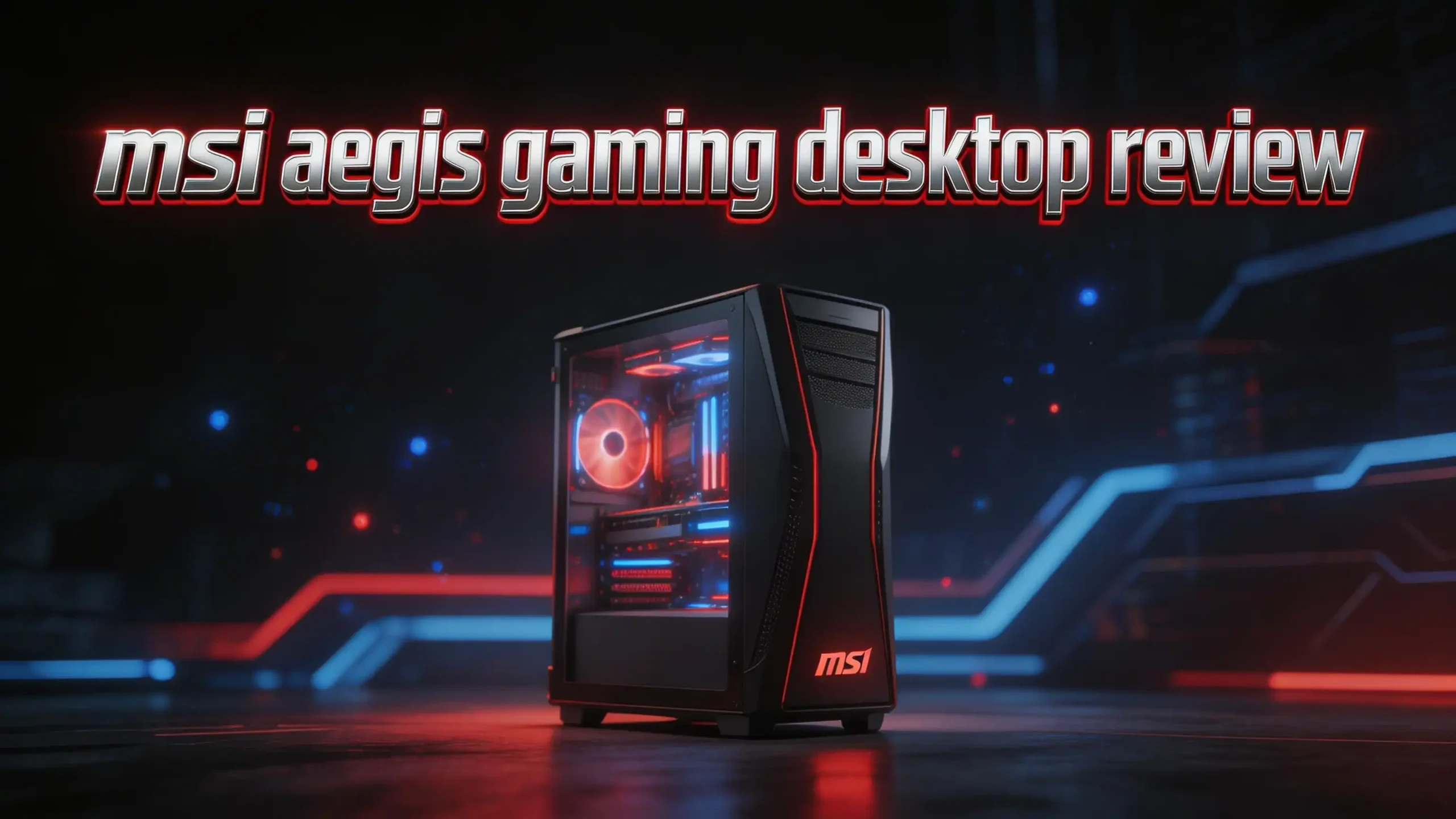
MSI uses a mid-tower form factor across the Aegis lineup. The chassis feels solid. It uses a mix of steel and tempered glass. The side panel on most models is transparent, showing off the internal components and RGB lighting.
Tool-less access makes upgrades simple. You can remove the side panel without a screwdriver. The interior layout provides clean cable routing channels. MSI routes most cables behind the motherboard tray.
The front panel includes USB-A 3.2 ports, a USB-C port, and audio jacks. The rear I/O depends on the motherboard but typically includes multiple USB ports, Ethernet, and display outputs from the GPU.
One criticism is the overall size. The Aegis tower is not small. It measures roughly 19 inches tall and 17 inches deep. Make sure you have adequate desk or floor space before ordering.
Cooling System and Noise Levels
Cooling is one of the strongest aspects of the MSI Aegis lineup. The liquid-cooled models use a 240mm AIO (all-in-one) cooler on the CPU. This keeps processor temperatures below 75°C during extended gaming sessions.
The air-cooled configurations use a tower cooler with MSI’s tuned fan profiles. These models run slightly warmer but still stay within safe operating ranges. Noise levels are acceptable during gaming, though they do get audible under full CPU and GPU load.
GPU cooling relies on MSI’s own card designs in most configurations. The RTX 5080 variant uses a dual-fan or triple-fan cooler depending on the specific card installed. Airflow through the case benefits from front-mounted intake fans and a rear exhaust.
If noise is a top priority, spend the extra money on a liquid-cooled configuration. The difference is meaningful during quiet nighttime gaming sessions.
Memory and Storage Options
The MSI Aegis ZS2 flagship ships with 64GB of DDR5 RAM at 6000MHz. This is more than enough for gaming, streaming, and content creation at the same time. Most games use 16 to 32GB, so 64GB gives you years of headroom.
The R2 AI model starts at 32GB DDR5. This is the sweet spot for most gamers in 2026. You can upgrade later if your workflow demands more memory.
Storage across both models centers on a 2TB M.2 NVMe SSD. These drives deliver read speeds above 5,000 MB/s on PCIe Gen 4. The Aegis RS2 AI models with Intel Z890 support PCIe Gen 5 SSDs for even faster transfer speeds.
Both models include additional M.2 slots and SATA ports for expanding storage. Adding a second SSD or a large hard drive for game libraries is straightforward.
Connectivity and Ports
The 2026 MSI Aegis models offer Wi-Fi 6E or Wi-Fi 7 depending on the configuration. The Intel-based R2 AI and RS2 AI models with Z890 motherboards include Wi-Fi 7 support. The AMD ZS2 models ship with Wi-Fi 6E, which still provides excellent wireless speeds.
Bluetooth 5.4 is included on all models. This handles wireless controllers, headsets, and peripherals without issues.
Wired connectivity includes a 2.5 Gigabit Ethernet port. This provides low-latency online gaming performance. The rear panel features at least five USB-A 3.2 ports and one USB-C port. Front panel connectivity adds two more USB ports and audio jacks.
HDMI 2.1 and DisplayPort 2.1 outputs come from the GPU. These support 4K at 120Hz and higher refresh rates at lower resolutions.
Upgradeability and DIY Friendliness
MSI markets the Aegis line as “DIY-friendly” prebuilts. This claim holds up well. The motherboard, RAM, GPU, and storage all use standard consumer parts. Nothing is proprietary or custom-shaped.
You can replace the GPU with any standard-length graphics card that fits the case. The power supply uses a standard ATX connector. RAM slots are accessible without removing other components. M.2 SSD slots sit in easy-to-reach positions on the motherboard.
The power supply units range from 650W to 850W depending on the model. The 850W PSU in the RTX 5080 model gives enough headroom for a future RTX 6000 series upgrade.
This level of upgradeability sets the Aegis apart from brands like HP Omen or some Lenovo Legion desktops that use proprietary motherboards or power supplies.
Gaming Performance in Real World Tests
Real-world gaming results place the MSI Aegis ZS2 (RTX 5080) among the fastest prebuilt desktops available. In Cyberpunk 2077 at 4K with ray tracing on Ultra, the system averages 95 to 110 FPS with DLSS enabled. Without DLSS, expect around 55 to 65 FPS.
Fortnite at 1440p runs at well over 200 FPS on competitive settings. Call of Duty: Warzone at 4K sits around 120 FPS with quality DLSS. These numbers match or beat what most custom-built PCs deliver at similar price points.
The R2 AI with RTX 5070 Ti handles 1440p gaming brilliantly. Expect 100+ FPS in most titles at high to ultra settings. 4K is playable in lighter titles but benefits from DLSS in demanding games.
Load times are excellent thanks to the NVMe SSD. Windows boots in under 10 seconds. Games load in a fraction of the time compared to older SATA-based systems.
Who Should Buy the MSI Aegis Gaming Desktop?
The MSI Aegis gaming desktop is ideal for gamers who want a ready-to-play system without the time and risk of building a PC from scratch. It suits players who game at 1440p or 4K resolution and want strong frame rates in modern titles.
Content creators will appreciate the multi-core performance, ample RAM, and fast storage. Video editors, streamers, and 3D artists can run demanding applications alongside their games.
The Aegis also works well for buyers who plan to upgrade over time. The standard components and roomy case make future swaps painless.
This desktop is not the best choice for budget gamers. The entry price starts near $1,800. If you game at 1080p and play older titles, a less expensive prebuilt will serve you just as well.
Verdict: Is the MSI Aegis Worth It in 2026?
The MSI Aegis gaming desktop lineup delivers excellent performance, solid build quality, and genuine upgradeability. The RTX 5080 ZS2 model is a powerhouse for 4K gaming. The R2 AI model offers strong Intel performance at a lower price.
Liquid cooling, DDR5 memory, NVMe storage, and next-gen GPUs come together in a well-built package. MSI’s use of standard components means this machine will not become obsolete as quickly as some competitor prebuilts.
The main drawback is price. You pay a premium for the convenience of a prebuilt system. But the gap between prebuilt and custom-built pricing has narrowed significantly in 2026.
If you want a reliable, fast, and upgradeable gaming PC that works right out of the box, the MSI Aegis is one of the best options available.
Frequently Asked Questions
Is the MSI Aegis ZS2 good for 4K gaming?
Yes. The MSI Aegis ZS2 with the RTX 5080 handles 4K gaming at high frame rates. With DLSS 4 enabled, most modern games run above 100 FPS at 4K resolution. It is one of the strongest prebuilt options for 4K play in 2026.
Can I upgrade the GPU in an MSI Aegis desktop?
Absolutely. MSI uses standard ATX-compatible components in the Aegis lineup. The GPU slot accepts full-size graphics cards. The 850W power supply in higher-end models provides enough power for future GPU upgrades.
Does the MSI Aegis come with Windows 11?
Yes. All 2026 MSI Aegis models ship with Windows 11 Home pre-installed. Some configurations available through specific retailers may include Windows 11 Pro instead.
How loud is the MSI Aegis during gaming?
The liquid-cooled models run very quiet under load. Fan noise stays below 35 dB during typical gaming sessions. The air-cooled models are slightly louder but still acceptable for most users.
Is the MSI Aegis better than building a custom PC?
The MSI Aegis offers comparable performance to a similarly priced custom build. You trade a small amount of component choice flexibility for the convenience of a ready-to-use system, a warranty, and professional assembly. For many gamers, the Aegis provides better overall value.
What is the warranty on MSI Aegis desktops?
MSI provides a standard 1-year limited warranty on Aegis gaming desktops. Extended warranty options are available through MSI and select retailers. Registering your product on MSI’s website is recommended for faster support.

Hi there! I’m Jinny, the tech enthusiast behind GadgetInsight. I spend my days unboxing the newest devices, diving deep into their features, and figuring out how they can genuinely improve your life – or if they’re worth your hard-earned money at all.
Last update on 2026-03-27 / Affiliate links / Images from Amazon Product Advertising API