Lenovo ThinkPad X1 Carbon Gen 14 Review 2026: A Complete Guide
Are you looking for a premium business laptop that weighs less than a kilogram? The Lenovo ThinkPad X1 Carbon Gen 14 might be the answer.
This laptop packs Intel Core Ultra X7 Series 3 processors, a stunning 2.8K OLED display, up to 64GB of LPDDR5x RAM, and three Thunderbolt 4 ports.
It scored a remarkable 9 out of 10 from iFixit for repairability. At just 996 grams, it is the lightest laptop in its class.
We tested its performance, display, keyboard, battery life, and value. Read on to find out if the ThinkPad X1 Carbon Gen 14 deserves a spot on your desk in 2026.
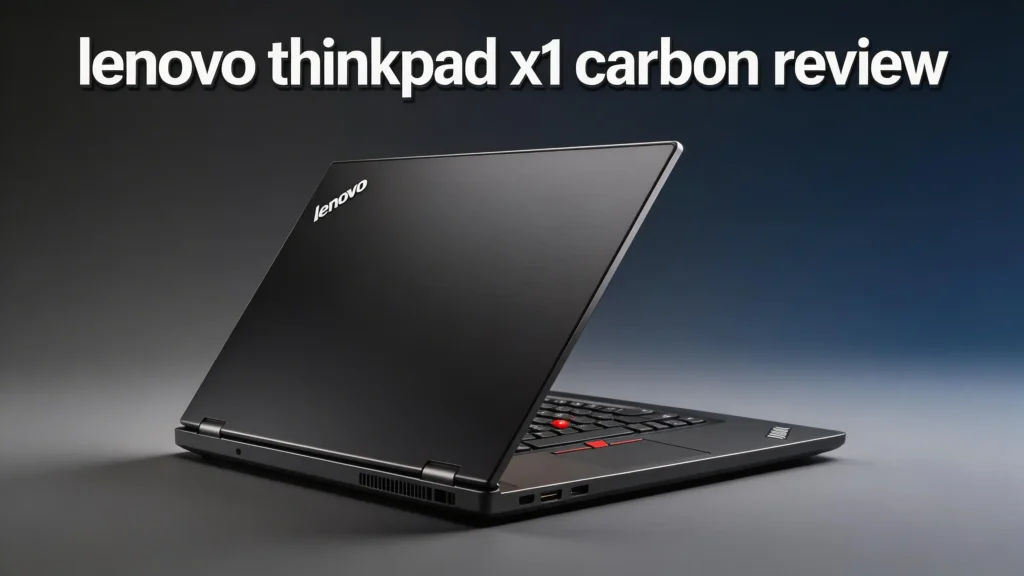
Key Takeaways
- The Space Frame internal design is a game changer. Lenovo overhauled the laptop’s internals with a two-sided modular plate. This makes the battery, speakers, fans, keyboard, and USB-C port headers user-replaceable. It earned a 9/10 iFixit repairability score, which is rare for an ultraportable laptop.
- Performance is top tier for a thin laptop. The Intel Core Ultra X7 Series 3 processor delivers up to 50 TOPS from its NPU. You also get optional 12Xe Arc integrated graphics, up to 64GB LPDDR5x RAM at 9600MT/s, and PCIe Gen 5 SSD support for blazing storage speeds.
- The display options are excellent. You can pick a 14-inch WUXGA IPS panel or a 2.8K (2880 x 1800) OLED screen with up to 500 nits brightness, variable refresh rate, and EyeSafe technology.
- At 996 grams, it is one of the lightest 14-inch business laptops ever made. The carbon fiber chassis maintains MIL-SPEC durability despite the featherweight build.
- Connectivity is comprehensive. Three Thunderbolt 4 ports, USB-A 3.2, HDMI 2.1, Wi-Fi 7, Bluetooth 5.4, NFC, and optional 5G round out the feature set.
- The starting price is $1,999, which matches the Gen 13. This keeps the value proposition consistent with the previous generation despite all the upgrades.
Lenovo ThinkPad X1 Carbon Gen 14 Overview

- The ThinkPad X1 Carbon Gen 13 Aura Edition weighs less than a kilogram, so you can manage it with one hand — and open it easily with one...
The Lenovo ThinkPad X1 Carbon Gen 14 Aura Edition launched in March 2026. It builds on the award-winning Gen 13 with a focus on internal redesign and sustainability. Lenovo won the PCMag Best Laptop award at CES 2026 for this model.
The laptop targets business professionals who need power, portability, and reliability in one package. It runs on Intel’s newest Core Ultra X7 Series 3 chip (code-named “Panther Lake”). This chip supports AI workloads with a 50 TOPS NPU.
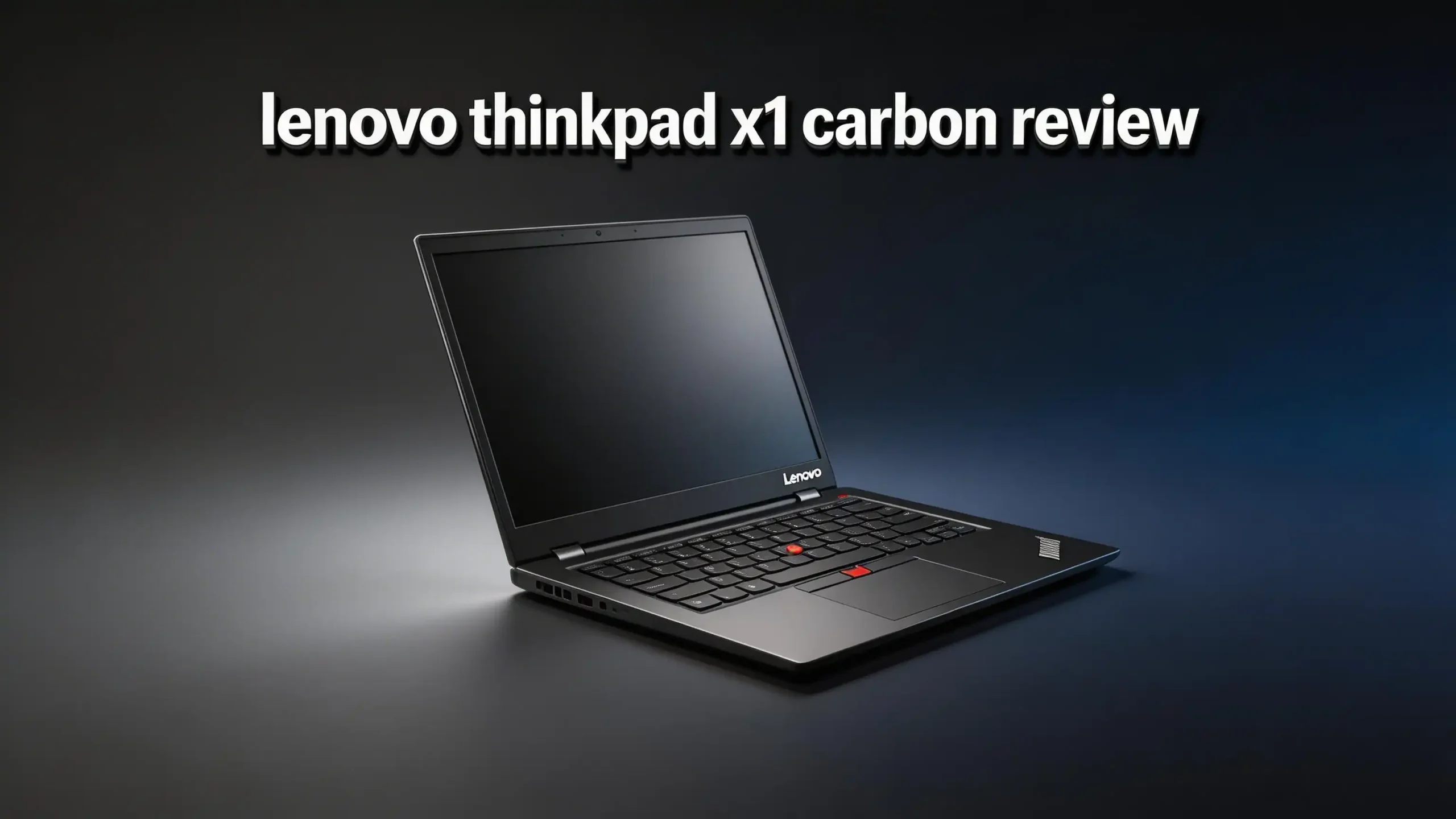
At its core, this is still a classic ThinkPad. You get the iconic matte black carbon fiber body, the red TrackPoint nub, and a legendary keyboard. But Lenovo took major steps forward in modularity, thermal management, and display quality. The result is a laptop that feels familiar on the outside but is a complete overhaul on the inside.
Space Frame Design: A New Internal Architecture
The biggest story of the Gen 14 is the Space Frame internal chassis. Lenovo placed components on both sides of a central metal plate. The motherboard sits on one side. Modular parts like port headers, fans, and the battery sit on the other.
This dual-sided layout improves thermal performance. Lenovo says it can sustain 30 watts of continuous processing power. Bigger fans fit inside the new frame, and heat spreads more evenly. The result is less throttling during heavy tasks.
The modular design also means you can replace parts yourself. The keyboard detaches with magnets and requires no tools. Other parts like the battery and speakers need just a screwdriver.
This approach mirrors what Framework laptops popularized. But Lenovo did it while keeping the classic ThinkPad form factor intact.
Display Quality: OLED or IPS, Your Choice
The ThinkPad X1 Carbon Gen 14 offers two display options. The entry-level model uses a 14-inch WUXGA (1920 x 1200) IPS panel. The higher-end option is a 2.8K (2880 x 1800) OLED screen.
The OLED version delivers stunning color accuracy and deep blacks. It reaches up to 500 nits of brightness, which is enough for well-lit offices and outdoor use.
The variable refresh rate adjusts between tasks. This saves battery during light work and delivers smooth scrolling during media playback.
Both panels use a 16:10 aspect ratio. This gives you more vertical space for documents, spreadsheets, and web browsing.
Lenovo also includes EyeSafe technology to reduce blue light without washing out colors. If you spend long hours staring at your screen, this feature helps reduce eye strain.
Performance and Processor
The Intel Core Ultra X7 Series 3 processor powers this laptop. It belongs to the “Panther Lake” family and sits at the top end of Intel’s mobile CPU lineup. You get a multi-core design with high efficiency and strong single-thread speed.
The integrated NPU handles up to 50 TOPS (trillion operations per second). This matters for AI tasks like live translation, background removal in video calls, and smart search in Windows. The optional 12Xe Arc GPU adds extra graphics power for photo editing and light video work.
Lenovo offers up to 64GB of LPDDR5x RAM at 9600MT/s. This is double the maximum of many competitors. Paired with PCIe Gen 5 SSDs up to 2TB, file transfers and app launches feel instant. The Gen 14 handles multitasking, large datasets, and content creation with ease.
Top 3 Alternatives for Lenovo ThinkPad X1 Carbon Gen 14

- 15th Gen Ultra 7-255H 2.00GHz Processor (upto 5.1 GHz, 24MB Cache, 16-Cores, 16-Threads, 6 Performance-cores); Intel Arc Integrated Graphics
- 32GB OnBoard RAM; 802.11be, Bluetooth 5.4, Webcam, Fingerprint, Backlit KB Standard Keyboard

- Processor Manufacturer: Intel
- Processor Type: Core Ultra 7

- Powerful Intel Core Ultra 7 processor 155H 16-Core (Base Clock 2.5GHz, Up to 4.8 GHz with Intel Turbo Boost Technology, 24 MB Intel Smart...
- [[ Customization ]] Upgraded to 16GB DDR5 SDRAM 7467 MHz | 1TB NVMe M.2 Solid State Drive | Windows 11 Home
Keyboard and Trackpad Experience
ThinkPad keyboards are famous for a reason. The Gen 14 keeps the full-size backlit keyboard with deep key travel and crisp feedback. Each keystroke feels precise and satisfying. You can type for hours without fatigue.
The classic red TrackPoint nub stays in its usual spot between the G, H, and B keys. Longtime ThinkPad users will appreciate this. It lets you move the cursor without taking your hands off the home row.
Lenovo also enlarged the haptic trackpad on the Gen 14. It is the biggest trackpad in X1 Carbon history. The haptic feedback feels natural and responsive. Multi-finger gestures work smoothly for scrolling, switching apps, and zooming. Whether you prefer the TrackPoint or the trackpad, both options deliver a premium experience.
Build Quality and Portability
The X1 Carbon Gen 14 weighs just 996 grams (about 2.2 pounds). This makes it one of the lightest 14-inch business laptops you can buy. You can carry it all day without shoulder strain.
The chassis uses carbon fiber and recycled materials. Despite the low weight, it meets MIL-SPEC 810H durability standards. It can handle drops, vibrations, extreme temperatures, and humidity. This laptop is built to survive life on the road.
Thickness increased slightly to 0.60 inches (up from 0.56 inches on the Gen 13). This tiny change made room for the Space Frame internals and bigger fans. You will barely notice the difference in a bag or backpack. The trade-off in durability and thermal performance is well worth it.
Connectivity and Ports
Port selection is generous for such a thin laptop. The Gen 14 offers three Thunderbolt 4 / USB-C ports. That is one more than the Gen 13. You can charge, connect displays, and transfer data at high speed through any of them.
You also get a USB Type-A 3.2 port for legacy devices. HDMI 2.1 handles 4K displays directly. A 3.5mm audio jack rounds out the physical connections.
Wireless connectivity is just as strong. Wi-Fi 7 delivers faster speeds and lower latency than Wi-Fi 6E. Bluetooth 5.4 provides stable connections for headphones, mice, and keyboards. NFC is built in for quick pairing. Lenovo also offers optional 5G or 4G LTE for users who need internet access away from Wi-Fi. You may not need a docking station at all with this laptop.
Webcam and Video Conferencing
The Gen 14 upgrades the webcam to a 10-megapixel sensor with a 110-degree field of view. This is a big jump from the 5MP cameras found on many competitors. Video calls look sharper and more professional.
Lenovo added advanced distortion correction to keep the wide-angle image looking natural. Even at the edges of the frame, faces and objects maintain proper proportions. The IR camera supports Windows Hello facial recognition for fast, secure logins.
A physical privacy shutter covers the webcam when you are not using it. This is a simple but essential security feature for business users. The dual-array microphones pick up your voice clearly while reducing background noise. For remote workers and hybrid professionals, these upgrades make the Gen 14 an excellent video conferencing machine.
Battery Life and Charging
The ThinkPad X1 Carbon Gen 14 packs a 58Wh battery. This is the same capacity as the Gen 13. Lenovo has not published official battery life numbers yet at the time of writing. But improved power efficiency from the new Intel Core Ultra X7 Series 3 chip should deliver all-day battery life for typical office work.
The OLED display option will drain the battery faster than the IPS panel. If you want the longest battery life, the WUXGA IPS model is the better choice. The OLED model will still last through a workday, but you may need to charge in the afternoon during heavy use.
Charging happens through any of the three USB-C / Thunderbolt 4 ports. Rapid charging support means you can get several hours of use from a short charge session. This flexibility is great for travelers who carry compact USB-C chargers.
Security Features
Lenovo packed the Gen 14 with ThinkShield security. This is Lenovo’s enterprise security platform. It includes hardware, software, and firmware protections that meet corporate IT standards.
The laptop supports fingerprint authentication and IR camera facial recognition through Windows Hello. Both options provide fast and secure login without typing a password. A discrete TPM 2.0 chip protects encryption keys and sensitive data at the hardware level.
The webcam privacy shutter blocks the camera physically. This protects against camera-based attacks. Lenovo also includes a Kensington lock slot for physical security in shared workspaces. For IT departments, the Intel vPro platform enables remote management, patching, and diagnostics across the fleet.
Repairability and Sustainability

- Released in late 2024, Lenovo’s 13th generation of the flagship ThinkPad X1 Carbon is a powerhouse of performance boosting features in an...
- Unopened retail packaging, sold as configured by Lenovo. One Year Lenovo Warranty. Add up to 5 years of Lenovo Premier Support when you...
The Gen 14 scored 9 out of 10 from iFixit for repairability. Only the Framework Laptop scored higher with a perfect 10. This is a remarkable achievement for a mainstream ultraportable laptop.
The magnetic keyboard pops off without tools. Once inside, you can replace the battery, fans, speakers, and many port modules with just a screwdriver. Lenovo made repair guides available, and parts are easy to source. This extends the laptop’s lifespan and reduces electronic waste.
Lenovo also committed to sustainability in the Gen 14’s materials. The cover, keyboard, battery frame, and packaging use recycled components. This aligns with growing corporate ESG goals. Buying this laptop supports a longer product lifecycle and less landfill waste. For environmentally conscious buyers, this is a strong selling point.
Pricing and Value
The Lenovo ThinkPad X1 Carbon Gen 14 Aura Edition starts at $1,999. This matches the launch price of the Gen 13. For a laptop with this many upgrades, that is a solid value.
The base model comes with a WUXGA IPS display and a lower-tier Core Ultra processor. Upgrading to the 2.8K OLED screen, 64GB RAM, and 2TB SSD will push the price well above $2,500. Corporate buyers often get volume discounts through Lenovo’s business portal.
Compared to the Dell XPS 14 and HP EliteBook 840 G11, the ThinkPad X1 Carbon Gen 14 holds its own on price. Its unique Space Frame design, superior repairability, and legendary keyboard give it an edge that competitors cannot match. If you value long-term ownership and ease of repair, the ThinkPad delivers more value over its lifetime.
Who Should Buy the Lenovo ThinkPad X1 Carbon Gen 14?
This laptop is ideal for business professionals, remote workers, and IT managers. If you need a lightweight machine that performs well in meetings, airports, and conference rooms, the Gen 14 delivers.
Developers and data analysts will appreciate the 64GB RAM option and fast SSD. The AI-capable NPU adds value for users who rely on Windows Copilot and other AI-powered tools. Creative professionals who handle light photo and video editing will find the OLED display and Arc GPU sufficient.
This laptop is not for gamers or heavy 3D rendering. It lacks a dedicated GPU. But for everything else in the business and productivity space, the ThinkPad X1 Carbon Gen 14 is one of the best laptops money can buy in 2026.
Final Verdict
The Lenovo ThinkPad X1 Carbon Gen 14 raises the bar for business ultraportables. The Space Frame design brings real innovation to repairability and thermal management. The Intel Core Ultra X7 Series 3 processor delivers strong performance for AI and productivity tasks. The 2.8K OLED display is beautiful. The keyboard remains the best in the business.
At 996 grams and $1,999 to start, it offers a premium experience without unnecessary bulk. The 9/10 iFixit score proves Lenovo is serious about sustainability. If you want a business laptop that lasts for years and stays easy to maintain, this is the one to buy.
Our Rating: 4.5 out of 5 stars. The only drawbacks are the lack of a dedicated GPU and the premium price for higher configurations. Everything else is outstanding.
Frequently Asked Questions
When did the Lenovo ThinkPad X1 Carbon Gen 14 launch?
Lenovo announced the ThinkPad X1 Carbon Gen 14 Aura Edition at CES 2026 in January. It became available for purchase in March 2026. You can buy it through Lenovo’s website, Amazon, and authorized retailers.
How much does the ThinkPad X1 Carbon Gen 14 cost?
The starting price is $1,999 for the base Aura Edition model. Higher configurations with OLED display, 64GB RAM, and 2TB storage cost more. Corporate buyers can access volume pricing through Lenovo’s business sales team.
Can you upgrade the RAM on the ThinkPad X1 Carbon Gen 14?
No. The LPDDR5x RAM is soldered to the motherboard. You need to choose your RAM configuration at the time of purchase. Options go up to 64GB. However, the Space Frame design does allow you to replace other components like the battery and SSD.
Is the ThinkPad X1 Carbon Gen 14 good for programming?
Yes. The fast processor, up to 64GB of RAM, and PCIe Gen 5 SSD make it excellent for coding, compiling, and running virtual machines. The comfortable keyboard and all-day battery life add to the experience. Most developers will find it more than capable.
Does the ThinkPad X1 Carbon Gen 14 have a touchscreen?
It depends on the configuration. The 2.8K OLED display option includes touch support. The base WUXGA IPS panel is available in both touch and non-touch versions. Check the specific model number before purchasing.
How does the Gen 14 compare to the Gen 13?
The Gen 14 brings a new Space Frame internal design, a third Thunderbolt 4 port, a 10MP webcam, a bigger trackpad, and a newer Intel processor. It is slightly thicker at 0.60 inches versus 0.56 inches. The starting price remains the same at $1,999. The Gen 14 is a significant upgrade over the Gen 13 in repairability and thermal performance.

Hi there! I’m Jinny, the tech enthusiast behind GadgetInsight. I spend my days unboxing the newest devices, diving deep into their features, and figuring out how they can genuinely improve your life – or if they’re worth your hard-earned money at all.
Last update on 2026-03-27 / Affiliate links / Images from Amazon Product Advertising API