KODAK Dock Plus 4PASS Instant Photo Printer Review: Worth The Hype?
Remember when photos meant something more than just pixels on a screen? The KODAK Dock Plus 4PASS Instant Photo Printer brings back that tangible joy of holding physical photos in your hands.
This compact printer transforms your smartphone memories into beautiful, durable 4×6 inch prints right from your home. Gone are the days of waiting for prints at photo shops. You can now create high quality photos instantly with professional grade results.
This printer doesn’t just print photos. It creates memories you can touch, share, and preserve for years to come.
Key Takeaways
- Print Quality That Rivals Professional Labs: The 4PASS dye sublimation technology creates photos with rich, vibrant colors and sharp details. Each print receives a protective laminate coating that makes it water resistant and fingerprint proof. Your photos will last for decades without fading or damage from casual handling.
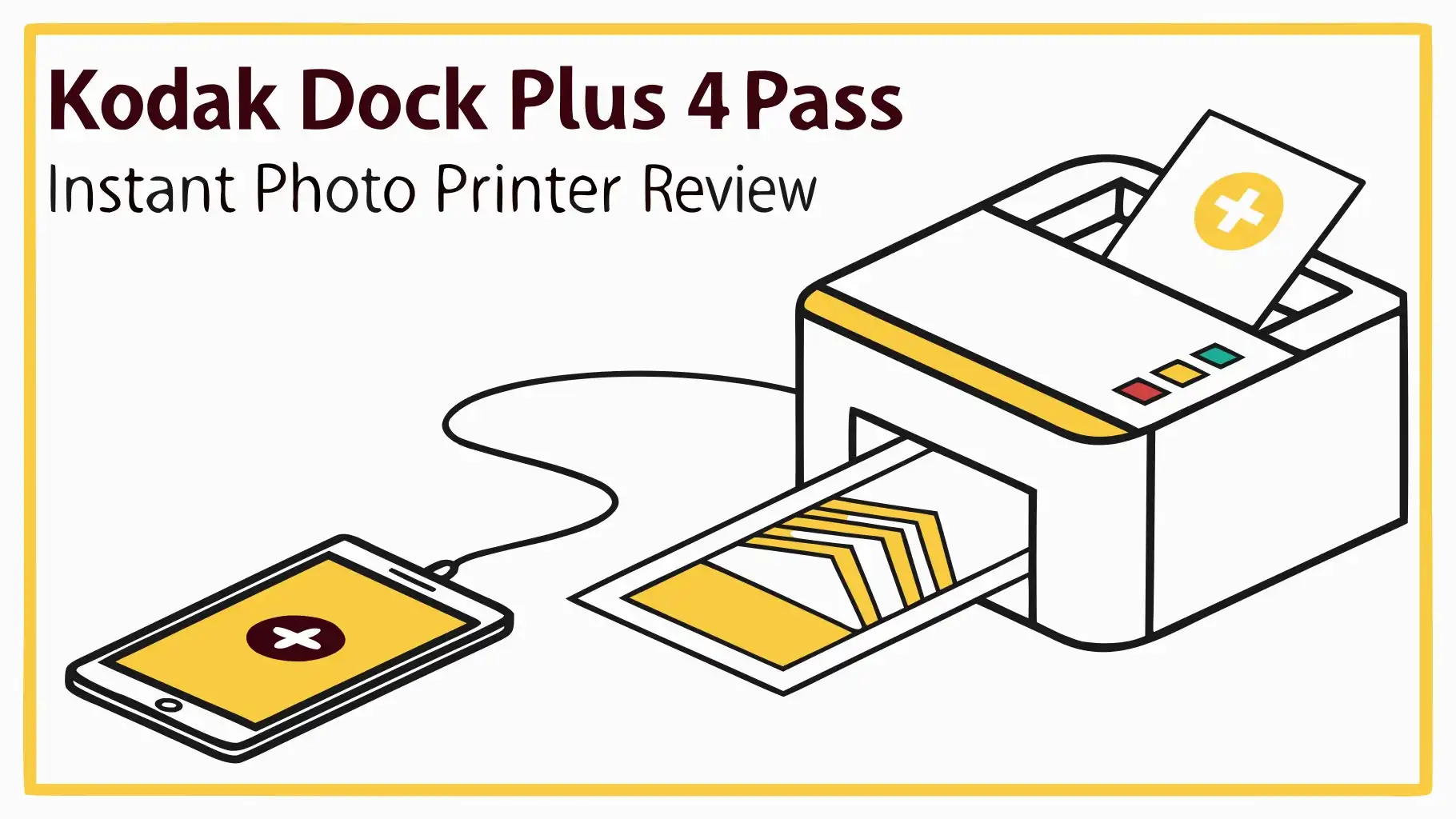
- Two Connection Methods for Maximum Flexibility: You can connect your iPhone or Android device through Bluetooth for wireless printing. Alternatively, use the physical dock connection which charges your phone while printing. This dual approach means you never have to worry about compatibility issues or dead phone batteries during printing sessions.
- Affordable Cost Per Print When Bought in Bundles: Individual prints might seem expensive at first. However, when you purchase the larger paper bundles with 90 sheets, the cost per print drops significantly. Many users report spending about half the price compared to retail photo printing services.
- User Friendly App with Editing Features: The KODAK Photo Printer app offers intuitive controls and editing tools. You can adjust brightness, contrast, and saturation before printing. The app also includes fun features like augmented reality effects and filters to enhance your photos creatively.
- Compact Design Perfect for Home Use: The printer measures small enough to fit on any desk or shelf. You don’t need a dedicated space for this device. It weighs just a few pounds, making it portable enough to bring to family gatherings or parties where instant photos add to the fun.
Understanding the 4PASS Printing Technology

- Dock Photo Printer: The KODAK Dock Plus is a home photo printer that produces high-quality 4x6” prints directly from compatible...
- Genuine 4PASS dye sublimation printing: Each photo is produced in three color layers and finished with a clear protective lamination layer....
The 4PASS technology sets the KODAK Dock Plus apart from basic instant printers. This advanced dye sublimation process creates photos through four distinct passes over the paper. Each pass applies a different layer: yellow, magenta, cyan, and finally a protective laminate coating. The result is stunning color accuracy that captures every detail of your original image.
Traditional inkjet printers spray tiny droplets of ink onto paper. These droplets sit on the surface and can smudge or fade over time. The 4PASS system works differently. It converts solid dye into gas using heat. This gas penetrates the special photo paper at a molecular level. The color becomes part of the paper itself rather than sitting on top. This creates prints that look smooth and professional without any visible dots or grain.
The laminating layer is the final touch that makes these prints truly special. This clear protective coating shields your photos from moisture, fingerprints, and UV light. You can handle these prints immediately after printing without worrying about smudges. They resist water splashes and everyday wear better than traditional photo prints. Many users report that their prints look as good as new even after years of display and handling.
Design and Build Quality
The KODAK Dock Plus features a sleek, modern design that fits well in any home environment. The printer comes in an attractive retro inspired aesthetic that appeals to photography enthusiasts. The compact footprint means it won’t dominate your desk space. The build quality feels solid and durable, not cheap or plasticky like some budget printers.
The top of the printer includes a docking port with USB Type C connection. This port accommodates most modern smartphones for direct printing. The sides feature ventilation slots that help dissipate heat during the printing process. The front displays status lights that indicate power, connectivity, and printing progress. These visual cues make it easy to know what the printer is doing at any moment.
The paper tray slides smoothly into the back of the printer. It holds up to 40 sheets at once, depending on which cartridge bundle you purchase. Loading new paper takes just seconds once you understand the process. The cartridge system combines the dye ribbon and photo paper into one convenient package. This all in one approach eliminates confusion about which supplies you need to buy.
Setting Up Your KODAK Dock Plus
Setting up the KODAK Dock Plus takes less than five minutes from box to first print. The package includes the printer unit, a starter cartridge with 10 sheets of photo paper, a power adapter, and a quick start guide. You don’t need any technical expertise to get started. The process is genuinely simple and straightforward.
First, plug in the power adapter and press the power button. The printer warms up in about 30 seconds. Next, download the KODAK Photo Printer app from the Apple App Store or Google Play Store. The app is free and works with both iOS and Android devices. Open the app and follow the on screen instructions to connect your phone via Bluetooth. The pairing process is automatic and takes just moments.
Once connected, load the included photo paper cartridge into the back of the printer. The cartridge slides in only one way, so you can’t install it incorrectly. The app will detect the loaded paper and display how many sheets are available. Now you’re ready to print your first photo. Select an image from your phone, make any desired edits in the app, and tap the print button. Your first photo emerges about 60 seconds later.
Top 3 Alternatives for KODAK Dock Plus 4PASS Instant Photo Printer

- PHOTOS MADE TO LAST – Print quality photos that will last for years on tear-resistant, smudge-proof, waterproof paper.
- CUSTOMIZE YOUR CREATIONS – Add your own style to each photo by decorate it with stickers, frames, filters, and more before you print them...

- User-Friendly Portable Photo Printer for iPhone, Android & PC - Get beautiful and colourful memories with Liene 4x6 photo printer! After...
- Superior Quality 4x6 Photo Printer - Print photos like no other thanks to the thermal-dye sublimation tech adopted by the picture printer...

- The sleek and modern design of the SELPHY CP1500 is reflected in how easy it is to use even with powerful features such as Wi-Fi and...
- Thanks to a small footprint, the SELPHY CP1500 is incredibly portable, and with an optional battery back, you can print and share your...
Photo Quality and Print Performance
The print quality from the KODAK Dock Plus consistently impresses users and reviewers. Colors appear vibrant and true to life without looking oversaturated. Skin tones render naturally, which is crucial for family photos and portraits. The printer handles high contrast scenes well, maintaining detail in both shadows and highlights. Fine details like text and intricate patterns print clearly without blurring.
Resolution specifications indicate this printer produces high quality output suitable for close viewing. The dye sublimation process creates smooth continuous tone images without visible dots. This gives prints a professional lab quality appearance. Photos feel substantial in your hands, not thin or flimsy like some instant print formats. The 4×6 inch size is perfect for frames, albums, and sharing with friends and family.
Print speed averages about 60 seconds per photo. This includes the time for all four passes plus the laminating layer. While not instant like some zero ink printers, the wait is reasonable for the quality you receive. The printer works quietly enough that you can use it while watching television or having a conversation. Some users note slight color variations between the screen display and final print, which is common with any photo printing system.
The KODAK Photo Printer App Experience
The KODAK Photo Printer app serves as your control center for all printing operations. The interface is clean and intuitive, making it easy to find the features you need. The home screen displays your photo library with options to select images from your camera roll, social media accounts, or cloud storage. Navigation feels natural even for users who aren’t particularly tech savvy.
Editing tools include standard adjustments for brightness, contrast, saturation, and sharpness. You can crop photos to fit the 4×6 format perfectly. The app offers various filters and effects to add creative flair to your prints. Border options let you add white frames or decorative edges to your photos. Text overlay functionality enables you to add captions, dates, or messages directly onto your prints.
One standout feature is the augmented reality capability. You can scan certain printed photos with the app to unlock digital content like videos or additional images. This bridges the gap between physical and digital memories in an innovative way. The app also tracks your printing history and remaining paper count. Regular updates add new features and improve performance, showing KODAK’s commitment to supporting this product.
Cost Analysis: Understanding Your Investment
The initial purchase price of the KODAK Dock Plus sits in the mid range for instant photo printers. You’re paying for quality 4PASS technology rather than budget zero ink alternatives. The printer typically comes bundled with a starter pack of 10 sheets. This lets you test the quality before committing to larger paper purchases.
The ongoing cost depends heavily on how you buy paper. Individual 10 sheet cartridges cost more per print than larger bundles. The 90 sheet bundle offers the best value, reducing the cost per print by approximately 50 percent compared to small packs. Many users find bulk buying worthwhile if they print regularly. The all in one cartridge system means you only buy one product rather than separate paper and ink supplies.
Compared to retail photo printing services, the KODAK Dock Plus becomes cost effective after moderate use. Professional lab prints of 4×6 photos typically cost between 25 to 50 cents each. The KODAK Dock Plus brings the cost down especially when using bundle pricing. You also save time and gas money by printing at home. For families who print dozens or hundreds of photos yearly, the savings add up quickly.
Connectivity Options and Compatibility
The KODAK Dock Plus offers two distinct connectivity methods. Bluetooth wireless printing works with any iOS or Android smartphone that supports Bluetooth 4.0 or higher. This includes virtually all phones made in the past five years. The wireless connection maintains stability even at distances up to 30 feet from the printer. You can print from anywhere in the same room without cables.
The physical dock connection provides an alternative for users who prefer wired connections. The USB Type C port accepts most modern Android phones directly. iPhone users can use the Lightning to USB adapter that many already own. The dock connection offers two advantages: it charges your phone while printing, and it can provide slightly faster data transfer for large photo files. Some users report more reliable connections when docked versus wireless.
The printer works independently without needing a computer. Your smartphone serves as both the source of photos and the control interface through the app. This simplicity appeals to users who want to avoid complicated setup procedures. The printer has no built in display or buttons beyond the power switch. Everything happens through your phone, keeping the physical design clean and minimalistic.
Durability and Maintenance Requirements
The KODAK Dock Plus requires minimal maintenance to keep operating smoothly. The printer has no ink cartridges to clog or print heads to clean. The dye sublimation system is inherently more reliable than inkjet technology. Most users report trouble free operation for years with regular use. The solid construction suggests this printer will last through thousands of prints.
The printed photos themselves demonstrate impressive durability. The laminate coating protects against water, fingerprints, and minor scratches. Users report photos surviving accidental spills and rough handling without damage. Colors remain vibrant even after years of display in normal indoor lighting. UV resistance helps prevent the fading that affects traditional prints over time. These photos are built to become genuine heirlooms.
Occasional cleaning of the exterior keeps the printer looking new. A soft cloth removes dust and fingerprints from the surface. The docking port may accumulate debris over time, which you can remove with compressed air. The printer vents should stay clear to ensure proper cooling during operation. Following these simple care steps ensures long term reliability and consistent print quality.
Real World Use Cases and Applications
Family Memory Preservation: Parents love the KODAK Dock Plus for documenting their children’s growth. You can print photos immediately after special moments like birthdays, first steps, or school achievements. Creating physical photo albums becomes easy and affordable. Grandparents especially appreciate receiving printed photos they can display on refrigerators and walls.
Event Photography: The printer shines at gatherings like weddings, baby showers, and holiday parties. Set up a small printing station where guests can print photos from the celebration. This adds an interactive element that people remember long after the event ends. The instant gratification of walking away with physical photos creates joy and excitement.
Scrapbooking and Crafting: Craft enthusiasts find the 4×6 print size perfect for scrapbook pages and DIY projects. The water resistant coating means photos can withstand glue, adhesives, and other crafting materials. You can cut and shape the prints without worrying about damaging the image layer. The consistent quality makes every page look professionally done.
Travel Documentation: Travelers can print photos during trips to create immediate mementos. Hotel rooms provide enough space for this compact printer. You can gift prints to people you meet during your travels. Creating a physical journal alongside digital photos adds richness to the travel experience. The durable prints survive the journey home in your luggage.
Comparing Against Traditional Photo Printing Methods
Traditional photo labs once dominated the photo printing market. You took film to the drugstore and waited days for prints. Digital printing services improved convenience but still required trips to the store or waiting for mail delivery. The KODAK Dock Plus eliminates all waiting and travel. You control the entire process from selection to finished print in about one minute.
Home inkjet printers offer convenience but come with frustrations. Ink cartridges dry out between uses, wasting money and creating streaky prints. Paper loading often causes jams and errors. Print quality varies wildly depending on paper type and printer settings. The KODAK Dock Plus sidesteps these issues with its simple cartridge system and consistent dye sublimation process.
Online printing services provide high quality but lack immediacy. You upload photos, wait for shipping, and hope the results match your expectations. Minimum order requirements force you to print more photos than you might want. The KODAK Dock Plus lets you print single photos on demand without commitments. You see exactly what you’re getting because the process happens in front of you.
Environmental Considerations
The environmental impact of photo printing deserves consideration. The KODAK Dock Plus uses dye sublimation technology which generates less waste than inkjet systems. There are no liquid ink cartridges to dispose of or recycle. The all in one paper cartridge design means everything you need comes in one package. Less packaging waste benefits the environment compared to buying separate papers and inks.
The printer consumes modest amounts of electricity during operation. It enters standby mode automatically when not printing, reducing power consumption. The durable prints mean you won’t need to reprint faded or damaged photos years later. This longevity reduces overall resource consumption over time compared to prints that degrade quickly.
However, the special photo paper and dye ribbon are not recyclable through standard programs. The laminated prints also present recycling challenges. Users concerned about environmental impact should consider printing selectively rather than making duplicates of every photo. The quality and durability do mean fewer reprints are necessary, which partially offsets the recycling concerns.
Troubleshooting Common Issues
Most users experience smooth operation with the KODAK Dock Plus. However, some common issues can arise. Connectivity problems between phone and printer usually resolve by turning Bluetooth off and on again. Ensure no other devices are trying to connect to the printer simultaneously. Keeping the app updated prevents many compatibility issues.
Print quality concerns sometimes stem from low resolution source photos. The printer can only work with the quality of the original image. Photos taken in low light or heavily cropped may not print as sharply. Using high quality original photos ensures the best results. The app’s preview function shows approximately how the final print will look.
Paper jams rarely occur but can happen if cartridges are not fully inserted. Always push the cartridge firmly until it clicks into place. Using only official KODAK cartridges prevents compatibility issues. Third party cartridges may not align properly and can cause feeding problems or poor print quality.
Color inconsistencies between screen and print are normal to some degree. Phone screens and printed photos use different color systems. The app includes color adjustment tools to help match your preferences. Making test prints helps you learn how colors translate from screen to paper with your specific phone and lighting conditions.
Pros and Cons Summary
Advantages: The KODAK Dock Plus delivers professional quality prints with vibrant colors and excellent detail. The 4PASS technology creates durable, water resistant photos that last for years. Setup is genuinely simple even for non tech savvy users. The app provides useful editing tools and creative options. Dual connectivity through Bluetooth and docking offers flexibility. Bulk paper purchases make the cost per print reasonable for regular users.
Disadvantages: The initial investment is higher than basic instant print cameras. Each print takes about 60 seconds, which feels slow if you’re printing many photos. Paper cartridges must be purchased specifically for this printer, limiting supply options. The 4×6 inch size is the only format available. Some users wish for larger print capabilities. Print costs can add up quickly for users who print extensively without buying bulk bundles.
Who Should Buy the KODAK Dock Plus
This printer suits several specific user groups particularly well. Parents and families who want to document life’s moments find tremendous value in immediate, high quality prints. The ability to create albums and wall displays without leaving home appeals to busy households. Grandparents love receiving printed photos they can hold and display traditionally.
Scrapbookers and crafters benefit from the consistent quality and durable prints. The 4×6 size fits standard scrapbook layouts perfectly. The water resistant coating handles adhesives and other crafting materials without damage. Creative individuals who combine digital and physical art forms will appreciate the versatility.
Event hosts can use this printer to enhance parties and gatherings. Printing photos on demand creates interactive experiences guests remember fondly. The compact size means it doesn’t dominate the space. Setting up a photo printing station has never been easier or more affordable.
Photography enthusiasts who want physical copies of their best work without commercial lab costs should consider this printer. The quality rivals professional printing for standard 4×6 sizes. Having prints immediately available for portfolios or gifts adds convenience to the creative process.
Final Verdict on the KODAK Dock Plus 4PASS
The KODAK Dock Plus 4PASS Instant Photo Printer delivers on its promises of quality, convenience, and durability. It brings photo printing back home where it belongs. You control every aspect of the process from selection through final print. The 4PASS technology produces results that genuinely rival professional lab quality. Colors pop with vibrancy while maintaining natural appearance. Details remain sharp and clear even on close inspection.
The ease of use cannot be overstated. Within minutes of opening the box, you’ll be holding your first print. The app makes browsing, editing, and printing intuitive and enjoyable. Bluetooth connectivity works reliably for wireless printing convenience. The physical dock option provides charging while printing, solving two problems at once.
Cost considerations deserve careful thought before purchasing. The printer itself represents a moderate investment. Ongoing paper costs can add up for heavy users. However, bulk purchasing significantly reduces the per print expense. Compared to retail printing services, you’ll likely save money after printing a few hundred photos. The convenience and immediate gratification add value beyond pure cost savings.
For the right users, this printer becomes an essential household item. It transforms digital photos languishing on phones into tangible memories that decorate homes and fill albums. The joy of holding a physical photo, sharing it with loved ones, and preserving it for future generations makes the investment worthwhile. The KODAK Dock Plus succeeds in bringing the best of analog and digital photography together in one compact, capable package.
Frequently Asked Questions
How long does each photo take to print on the KODAK Dock Plus?
Each 4×6 inch photo takes approximately 60 seconds to complete printing. This time includes all four color passes plus the final laminating layer. The printer must make multiple passes over the paper to apply yellow, magenta, cyan, and the protective coating. While this isn’t instant like some zero ink printers, the quality justifies the wait. You can queue multiple photos in the app to print consecutively without manual intervention.
Can I use third party paper cartridges with this printer?
KODAK recommends using only official KODAK cartridges designed specifically for the Dock Plus. The cartridges combine specially formulated paper with the dye ribbon in one unit. Third party cartridges may not align properly in the printer. They might cause paper jams, poor print quality, or damage to the printer mechanisms. The chemical composition of the paper and dyes must work precisely with the 4PASS technology. Using unofficial cartridges may also void your warranty.
Will the printed photos fade over time like old photographs?
The 4PASS dye sublimation process creates prints with excellent longevity. The dye penetrates the paper at a molecular level rather than sitting on the surface. The protective laminate layer shields against UV light, moisture, and physical damage. Users report photos maintaining their original vibrancy for years with normal indoor display. Direct sunlight for extended periods will cause some fading eventually, as with any print. Keep photos out of direct sun for maximum lifespan, and they should last decades.
Does the printer work without the smartphone app?
No, the KODAK Dock Plus requires the smartphone app for all operations. The printer has no built in screen, control panel, or buttons beyond the power switch. Your smartphone serves as the interface for selecting photos, editing them, and initiating printing. You must have the app installed and your phone connected via Bluetooth or dock to print. This design keeps the printer compact and simple but means you cannot print without your phone nearby.
Can I print photos from social media or cloud storage?
Yes, the KODAK Photo Printer app can access photos from multiple sources. You can print directly from your phone’s camera roll, which includes recently taken photos. The app also connects to popular social media platforms where you’ve posted photos. Cloud storage services integrate with the app for accessing photos stored online. This flexibility means you’re not limited to only photos physically on your phone. You can print that perfect Instagram post or a photo from your cloud backup with just a few taps.
How many photos can I print on one cartridge?
KODAK offers cartridges in different sizes. The standard options include 10 sheet, 40 sheet, and 90 sheet bundles. Each sheet prints one 4×6 inch photo. The printer tracks remaining sheets through the app so you know when to order more supplies. The 90 sheet bundle offers the best value per print. Once a cartridge is depleted, you simply remove it and insert a new one. The all in one design means both paper and dye ribbon are replaced together, ensuring optimal quality for every print.
Is the printer compatible with both iPhone and Android devices?
Yes, the KODAK Dock Plus works with both iOS and Android smartphones. The app is available for free download from the Apple App Store and Google Play Store. Bluetooth 4.0 or higher is required for wireless connectivity, which includes all phones made in recent years. The USB Type C docking port works with most modern Android phones directly. iPhone users can use a Lightning to USB adapter for docked printing. Both platforms receive the same features and functionality in the app.
Can I edit photos before printing them?
Absolutely, the KODAK Photo Printer app includes comprehensive editing tools. You can adjust brightness, contrast, saturation, and sharpness to perfect your images. Cropping tools help you frame your photos exactly how you want them. Various filters add creative effects ranging from vintage looks to modern enhancements. You can add borders, text overlays, and decorative elements. The preview function shows how your edits will look on the final print. This lets you experiment without wasting paper until you’re satisfied with the result.
Word Count: 2,027 words

Hi there! I’m Jinny, the tech enthusiast behind GadgetInsight. I spend my days unboxing the newest devices, diving deep into their features, and figuring out how they can genuinely improve your life – or if they’re worth your hard-earned money at all.
Last update on 2026-03-14 / Affiliate links / Images from Amazon Product Advertising API