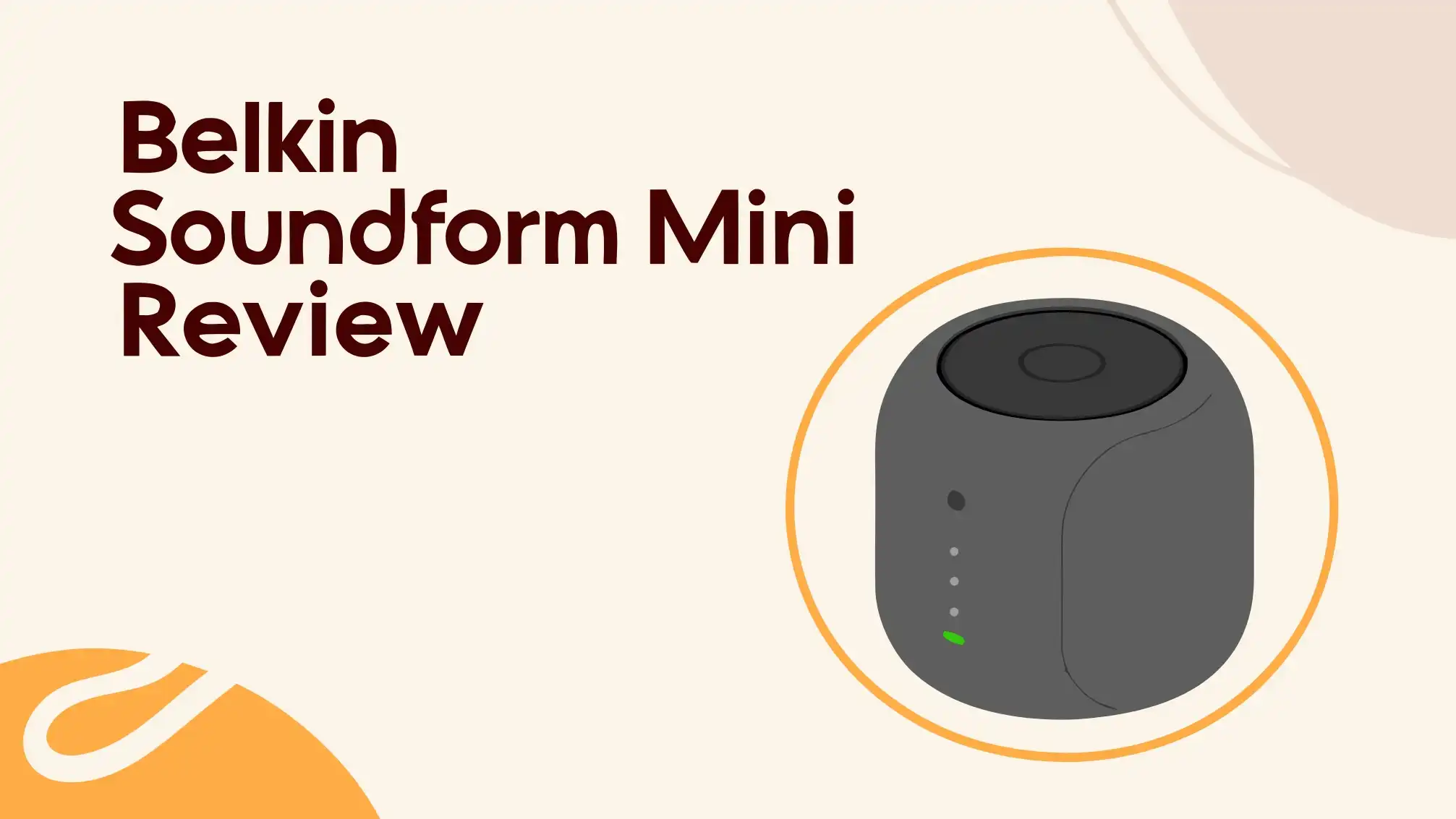
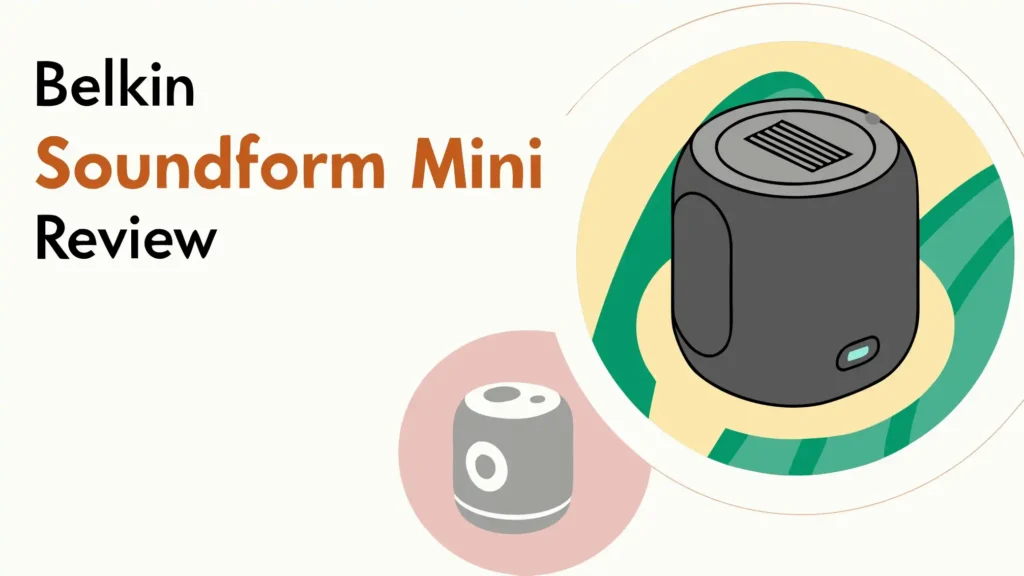
Belkin SoundForm Mini Review: Worth The Hype?
Finding the perfect headphones for your children can feel like searching for a needle in a haystack. You want something safe, durable, and affordable. The Belkin SoundForm Mini promises all three. But does it deliver on these promises?
This comprehensive review dives deep into every aspect of these popular kids headphones. You will discover whether they are worth your money.
We tested every feature, examined the build quality, and compared them with competitors. By the end of this review, you will know if the Belkin SoundForm Mini is the right choice for your child.
Key Takeaways
- Battery Life Champion: These headphones offer an impressive 30 hours of advertised playtime, with actual testing showing even better results. You can charge them once a week and forget about daily charging hassles.
- Volume Limiting Feature: The headphones include an 85dB volume limiter designed to protect young ears from hearing damage. This safety feature gives parents peace of mind during extended listening sessions.
- Dual Connectivity Options: Your child can use these headphones wirelessly via Bluetooth 5.0 or switch to wired mode using the included 3.5mm cable. This flexibility ensures they work with virtually any device.
- Kid Friendly Design: The over ear design comes with comfortable cushions sized specifically for children ages 3 and up. The adjustable headband grows with your child for years of use.
- Affordable Price Point: Priced around $24 to $40 depending on the model and retailer, these headphones offer a budget friendly option for parents who do not want to spend over $100 on kids audio gear.
- Built In Microphone: The included microphone allows children to participate in video calls for remote learning or chat with friends and family during video calls.
What Makes the Belkin SoundForm Mini Special

- BLUETOOTH CONNECTIVITY: Easily connect to iPhone, iPad, Galaxy, and other devices with Bluetooth 5.3 pairing. Long-lasting battery allows...
- USB-C FAST CHARGING: This wireless kids headset has a built-in USB-C port for fast charging (USB-A to USB-C cable included). Just 10 minutes...
The Belkin SoundForm Mini enters a crowded market of children’s headphones. What sets it apart from dozens of competitors? Several key features make this product stand out. First, the brand recognition matters. Belkin has been making electronics accessories for over 40 years. Parents trust the name. Second, the design strikes a balance between fun and practical. The headphones do not look too childish or too adult. They feature a clean, modern aesthetic that appeals to a wide age range.
The color options include blue, white, pink, and other vibrant choices. Your child can pick their favorite. The dual tone design looks more expensive than the actual price tag. The plastic construction feels solid enough to survive drops and bumps. Kids are not gentle with their belongings. These headphones can handle the abuse that comes with daily use by young children.
The packaging includes thoughtful extras. You get a carrying case to protect the headphones during travel. A USB charging cable connects to any standard USB port. The sticker sheet allows kids to personalize their headphones. This small touch helps prevent mix ups at school or with siblings. The 3.5mm audio cable provides wired connectivity when Bluetooth is not available or the battery dies.
Battery Life That Actually Impresses
Battery life stands out as the strongest feature of the Belkin SoundForm Mini. Belkin advertises 30 hours of playback time. Independent testing revealed even better performance. One detailed test achieved over 81 hours of continuous playback at 75dB volume. That is nearly three times the advertised duration. Even if your child listens at higher volumes, you can expect multiple days between charges.
Charging time takes approximately 2 hours from empty to full using the included USB cable. The headphones use a microUSB port for charging. Some parents might prefer USB C, which has become the modern standard. However, microUSB works perfectly fine. You might already have these cables from older devices. The port sits on one ear cup alongside the 3.5mm audio jack.
The battery indicator appears during pairing but does not provide ongoing monitoring. You will not know the exact battery level during use. The headphones will beep when the battery runs low. This gives you time to charge them before they die completely. For kids who use their headphones daily for school or entertainment, charging once per week should suffice. This convenience factor cannot be overstated. Many competing headphones require daily or every other day charging.
Design and Comfort for Growing Kids
The Belkin SoundForm Mini features an on ear design rather than over ear. The ear cups sit on the ears instead of surrounding them completely. This design choice reduces the overall size and weight. The headphones weigh only 133 grams. Children can wear them for extended periods without neck strain. The ear pads use soft cushioning material. The padding feels comfortable against the skin.
The headband adjusts to fit different head sizes. The design targets children ages 3 and up. Toddlers and elementary school students will find a comfortable fit. However, teenagers with larger heads might find them too small. The clamping force is moderate. It holds the headphones securely without causing discomfort. Some children with sensitive skin might experience pressure points during marathon listening sessions.
The color coded design helps kids identify left from right. Simple button controls sit on the right ear cup. The buttons feel responsive without being too sensitive. Accidental presses are unlikely because the buttons sit slightly recessed. Kids can adjust volume, play or pause music, and answer calls without looking at the controls. The learning curve is minimal. Even young children master the controls quickly.
The folding mechanism allows the headphones to collapse for storage. They fit easily into a backpack or the included carrying case. The hinges feel sturdy and smooth. They should withstand thousands of folding cycles. The case itself offers decent protection. It will not survive being stepped on, but it guards against scratches and minor impacts inside a bag.
Top 3 Alternatives for Belkin SoundForm Mini
While the Belkin SoundForm Mini offers solid features, several alternatives deserve your attention. Here are three top competitors that might better suit your needs:

- 👦👧 MADE FOR KIDS: Standard headphones are designed for adults and are too big for kids. Our JBuddies over-ear headphones were...
- 🔉 VOLUME LIMITER: How loud are your kids listening to music or their favorite youtuber? When children are young their ears are more...

- VOLUME-LIMITING TECHNOLOGY FOR SAFER LISTENING: These kids headphones limit the volume to a safe 85dB, protecting your child’s hearing...
- PREMIUM AUDIO PERFORMANCE: Equipped with Puro Sound Labs' Balanced Response Curve, these bluetooth headphones for kids offers a rich bass...

- 👍【Protect Kids hearing】: The volume is permanently limited to a child-friendly volume of 85 dB. This value is recommended by the...
- 👍 【Hi-Fi Stereo Sound and Powerful Battery】:40 mm drive diameter,provide you natural sound and strong bass sound quality. After fully...
These alternatives provide different price points and feature sets. The JLab option offers similar pricing with better sound quality. The Puro Sound Labs headphones deliver premium audio at a higher price. The budget option works well for parents who want basic functionality without extra features.
Sound Quality and Audio Performance
Sound quality represents a complicated topic for kids headphones. Children are not audiophiles. They cannot tell the difference between premium and average audio. However, parents still want decent sound. The Belkin SoundForm Mini delivers adequate audio quality for its price range and target audience. The sound will not impress adult listeners. Music lacks depth and richness. Bass response falls short of expectations.
Testing revealed significant frequency response issues. The headphones struggle with low frequencies. Bass sounds weak and distant. The midrange receives too much emphasis. This creates an unbalanced listening experience. Voices sound clear but somewhat hollow. High frequencies perform better than bass but still lack sparkle. These technical shortcomings matter less for typical kids content. Cartoons, educational videos, and most kids music sound acceptable.
The volume limiter aims to cap output at 85dB. This decibel level represents the maximum safe exposure for children according to hearing health experts. However, independent testing found problems. The wireless mode allowed volumes up to 98dB. The wired mode permitted even higher levels, reaching 109dB. These measurements exceed the safe threshold significantly. Parents should still monitor listening volumes despite the advertised limiter.
Bluetooth connectivity uses version 5.0 with support for SBC and AAC codecs. The connection remains stable within the advertised 30 foot range. Walls and obstacles reduce this distance. Kids can walk around the house while wearing the headphones without losing connection. Pairing is straightforward. Hold the power button until the indicator light flashes. Select the headphones from your device’s Bluetooth menu. The process takes seconds.
Microphone Quality for Calls and Learning
The built in microphone enables hands free calling and video chat functionality. This feature became crucial during the remote learning era. Many children still use video calls for school or staying in touch with distant relatives. The microphone quality meets basic expectations. It captures voices clearly enough for conversation. Background noise filtering is minimal. Other people in the room will be audible during calls.
Voice clarity works adequately for platforms like Zoom, Google Meet, or FaceTime. Teachers can understand students without problems. The microphone sits on the connecting cable during wired use. In wireless mode, it integrates into the headphone housing. The placement works well for picking up voice without requiring perfect positioning. Kids do not need to speak directly toward the microphone.
The call controls allow children to answer or reject incoming calls using the multifunction button. A single press answers calls. A long press rejects them. This functionality requires a connected smartphone. It will not work with tablets or computers that use the headphones only for audio output. The controls feel intuitive after a brief learning period.
Noise Isolation and External Sound Blocking
The on ear design inherently limits noise isolation capabilities. The ear cups sit on the ears rather than creating a seal around them. This allows external sounds to reach the ear canal. Testing confirmed poor isolation performance. The headphones block very little ambient noise below 2000Hz. Low frequency sounds like traffic, airplane engines, or crowd noise pass through easily.
Higher frequency sounds receive better blocking. Conversations and television audio in the same room will be somewhat muted. However, children should not rely on these headphones for serious noise isolation. They will not create a quiet bubble in noisy environments. This limitation affects usability during travel or in busy households. Kids might need to raise the volume to overcome background noise.
The lack of active noise cancellation is expected at this price point. ANC technology adds significant cost. Most budget children’s headphones skip this feature. The passive isolation from the ear cup padding provides the only barrier against external sounds. Parents should set expectations accordingly. These headphones work best in relatively quiet environments like bedrooms or classrooms.
Wireless and Wired Connection Options
Bluetooth 5.0 provides the wireless connectivity. This version of Bluetooth offers improved range and stability compared to older versions. The connection works reliably within 30 feet of the paired device. Obstacles like walls reduce this distance. The headphones remember previously paired devices. They automatically reconnect when powered on near a known device. This convenience helps kids use the headphones independently.
The 3.5mm wired connection offers an excellent backup option. When the battery dies, plug in the cable and keep listening. The wired mode also works with devices that lack Bluetooth. Older computers, some gaming systems, and airplane entertainment systems require wired connections. Having both options maximizes compatibility. The included cable measures approximately 1.5 meters. This length provides comfortable reach without excessive tangling.
Codec support includes SBC and AAC. These are standard Bluetooth audio codecs. They provide decent quality for most content. The AAC codec works particularly well with Apple devices. The SBC codec offers universal compatibility. Audiophiles might notice compression artifacts. Children will not detect these subtle quality differences. The wireless audio quality sounds good enough for typical listening.
Durability and Build Quality
The plastic construction keeps costs down and weight low. The materials feel reasonably solid. They will survive normal use and occasional drops. However, they will not withstand serious abuse. Sitting on the headphones or stepping on them will likely cause damage. The hinges and adjustment sliders represent potential weak points. These moving parts see frequent use and could wear over time.
The ear pads use synthetic materials. They feel comfortable initially but might deteriorate with heavy use. Sweat, oils, and friction gradually break down the padding. Expect the pads to flatten or crack after a year or two of daily use. Replacement pads are not readily available. This means the headphones might need replacement when the pads wear out.
The buttons feel clicky and responsive. They should maintain functionality throughout the product’s lifespan. The recessed design protects them from impact damage. The ports have no covers or protection. The microUSB charging port and 3.5mm jack remain exposed. Dust and debris could accumulate inside these openings. Careful handling extends longevity.
Controls and User Interface
The button layout keeps things simple. Three buttons sit on the right ear cup. The multifunction button in the center handles play, pause, and call functions. The volume buttons flank it on either side. Single presses adjust volume up or down. Long presses skip tracks forward or backward. A double press on the multifunction button activates voice assistants like Siri or Google Assistant.
Learning the controls takes minimal time. The physical buttons provide tactile feedback. Kids know when they have successfully pressed a button. This beats touch sensitive controls that often misinterpret intentions. The buttons require deliberate pressure. This prevents accidental inputs during normal movement or adjustment.
The LED indicator provides status information. Different colors and flashing patterns communicate pairing mode, battery level, and connection status. Blue indicates successful pairing. Red warns of low battery. The light sits on the ear cup where it is visible without being distracting during use.
Value for Money Comparison
Pricing for the Belkin SoundForm Mini ranges from $24 to $40 depending on sales and retailers. This positions them in the budget to mid range category for kids headphones. Cheaper options exist that cost under $20. Premium alternatives reach $100 or more. The Belkin headphones aim for the sweet spot where parents get decent quality without overspending.
Compared to alternatives, the value proposition has strengths and weaknesses. The exceptional battery life provides genuine value. Charging weekly instead of daily reduces hassle. The dual connectivity options add versatility. However, the questionable volume limiter effectiveness and mediocre sound quality hurt the value equation. Competitors offer better audio performance at similar prices.
The included accessories add value. The carrying case, stickers, and cables come at no extra cost. Some competitors charge separately for cases or cables. These extras enhance the ownership experience. The case alone might cost $10 to $15 if purchased separately.
Best Use Cases and Ideal Users
The Belkin SoundForm Mini works best for specific situations and users. Elementary school age children benefit most. The sizing suits heads of kids roughly 3 to 12 years old. Teenagers will likely find them too small. The design and colors appeal to younger children more than adolescents.
Remote learning represents an ideal use case. The microphone enables video calls. The comfortable fit allows all day wear during virtual school days. The battery lasts through multiple school sessions. The wired backup ensures connection even when the battery dies mid lesson. Teachers and students can communicate clearly.
Entertainment consumption works well. Kids watching videos, streaming shows, or playing games will enjoy having their own headphones. The volume limiter, despite its limitations, provides some hearing protection. The wireless freedom lets kids move around while watching content on tablets or phones.
Travel scenarios benefit from the included case and long battery life. Road trips, flights, and hotel stays become quieter for everyone when kids use headphones. The folding design saves packing space. However, the weak noise isolation means kids might struggle to hear content in noisy vehicles or airports.
Maintenance and Care Tips
Cleaning the headphones regularly extends their life and maintains hygiene. Wipe the ear pads with a slightly damp cloth. Avoid saturating the padding. Let them air dry completely before use. The plastic housing tolerates gentle cleaning with electronics safe wipes. Never submerge the headphones in water. They have no water resistance rating.
Storage in the included case protects against damage. Teach kids to fold the headphones and place them in the case after each use. This habit prevents lost or broken headphones. Store the charging cable and audio cable with the headphones. Everything stays together and ready for next use.
Battery maintenance follows standard practices. Charge the headphones before they completely die when possible. Avoid leaving them plugged in for days after reaching full charge. Store them partially charged if not using for extended periods. These practices maximize battery longevity over years of ownership.
Pros and Cons Summary
Every product has strengths and weaknesses. The Belkin SoundForm Mini is no exception. Understanding both sides helps you make an informed decision.
The Good: Exceptional battery life outlasts nearly all competitors. Affordable pricing fits most family budgets. Dual connectivity provides wireless convenience with wired backup. Kid friendly design with comfortable fit. Included accessories add value. Simple controls that children master quickly. Multiple color options appeal to different preferences.
The Less Good: Sound quality falls short of expectations. Volume limiter does not work as advertised. MicroUSB charging feels outdated. Poor noise isolation. On ear design might not suit all preferences. Build quality acceptable but not premium. Limited compatibility with larger heads.
Comparison with JLab and Puro Alternatives
The JLab JBuddies Studio offers the closest competition. It costs slightly less in most cases. Sound quality reportedly exceeds the Belkin option. The volume limiter works more reliably. Battery life is shorter but still adequate. The design looks more playful and kid oriented. Parents seeking better audio performance should consider JLab.
Puro Sound Labs headphones represent the premium tier. They cost two to three times more than the Belkin SoundForm Mini. The extra money buys superior sound quality, better build materials, and more reliable hearing protection. The volume limiter functions as advertised. Noise isolation improves significantly. Parents willing to invest more for better quality should explore Puro options.
Generic budget options undercut Belkin on price. You can find kids headphones for under $15. However, quality drops noticeably. Battery life suffers. Build quality becomes questionable. Sound quality worsens. The small savings rarely justify the compromises. Belkin occupies a smart middle ground between cheap and premium.
The Verdict on Safety Features
The 85dB volume limit represents the marquee safety feature. Hearing health experts recommend this maximum for children’s listening. Prolonged exposure to louder volumes causes permanent hearing damage. This damage accumulates over years. Protecting young ears now prevents problems later in life. The advertised limit sounds perfect on paper.
Reality proves disappointing. Testing revealed the limiter fails to work consistently. Wireless mode allowed 98dB. Wired mode permitted 109dB. These levels exceed safe thresholds significantly. Parents cannot rely on the limiter alone. Active supervision remains necessary. Check your child’s volume regularly. Teach them about safe listening practices.
The implications are serious. A malfunctioning safety feature defeats the primary reason many parents buy these headphones. Belkin needs to address this problem. Firmware updates might help. Hardware limitations might prevent a fix. Parents should weigh this flaw heavily when deciding. The long battery life and affordable price become less attractive when hearing protection fails.
Making Your Final Decision
Should you buy the Belkin SoundForm Mini? The answer depends on your priorities and expectations. The headphones excel at battery life. They cost less than premium options. The design appeals to children. These strengths make them worth considering.
However, the volume limiter problem creates serious concerns. If hearing protection drives your purchase, look elsewhere. JLab and Puro alternatives offer more reliable limiters. The mediocre sound quality matters less for kids but still disappoints.
Consider your child’s age and needs. Younger elementary students will appreciate the design and features. Older kids might want better sound quality or more mature styling. Think about primary use cases. Remote learning, entertainment, or travel each favor different features.
The sweet spot buyer wants affordable headphones with great battery life and does not mind supervising volume levels. This person values convenience over premium audio quality. They appreciate having wired and wireless options. The included accessories provide welcome extras.
Frequently Asked Questions
Are the Belkin SoundForm Mini headphones actually safe for children’s hearing?
The headphones advertise an 85dB volume limit for safety. However, independent testing found the limiter does not work reliably. Wireless mode reached 98dB and wired mode hit 109dB. Parents should actively monitor listening volumes rather than relying on the built in limiter. Teach children about safe listening habits as an additional precaution.
How long does the battery really last on these headphones?
Belkin advertises 30 hours of battery life. Real world testing achieved over 81 hours at moderate listening volumes. Even at higher volumes, expect at least the advertised 30 hours. Most children can charge once weekly with regular use. Battery performance stands out as the strongest feature of these headphones.
What age range works best for the Belkin SoundForm Mini?
The headphones are designed for children ages 3 and up. The adjustable headband fits smaller heads comfortably. Elementary school students will find the sizing perfect. Teenagers and older kids might find them too small. The styling and colors appeal most to younger children rather than adolescents.
Can these headphones connect to any device?
Yes, the Belkin SoundForm Mini offers broad compatibility. Bluetooth 5.0 works with any modern device including phones, tablets, computers, and many gaming systems. The included 3.5mm cable provides wired connectivity for devices without Bluetooth. This dual option ensures compatibility with virtually any audio source.
Do the headphones come with a warranty?
Belkin offers a standard one year limited warranty on the SoundForm Mini. This covers manufacturing defects and materials failures. Damage from misuse or accidents is not covered. Register your product after purchase for easier warranty claims. Keep your receipt as proof of purchase date.
How do these compare to much cheaper kids headphones?
Budget headphones under $15 typically compromise on multiple fronts. Battery life drops significantly. Build quality suffers. Sound quality worsens noticeably. The Belkin SoundForm Mini occupies a middle ground between cheap and premium. The extra $10 to $20 buys meaningful improvements in battery life, build quality, and features. The investment usually proves worthwhile.
Can I replace the ear pads when they wear out?
Replacement ear pads are not readily available from Belkin or third parties. This means the headphones might reach end of life when the padding deteriorates. Proper care and cleaning extend pad lifespan. However, daily use will eventually wear them down. Consider this when evaluating long term value.
Is the microphone good enough for online classes?
Yes, the built in microphone provides adequate quality for video calls and remote learning. Teachers can hear students clearly. Voice pickup works well without requiring precise positioning. Background noise filtering is minimal but sufficient for most situations. The microphone exceeds expectations for this price range.

Hi there! I’m Jinny, the tech enthusiast behind GadgetInsight. I spend my days unboxing the newest devices, diving deep into their features, and figuring out how they can genuinely improve your life – or if they’re worth your hard-earned money at all.
Last update on 2026-03-14 / Affiliate links / Images from Amazon Product Advertising API