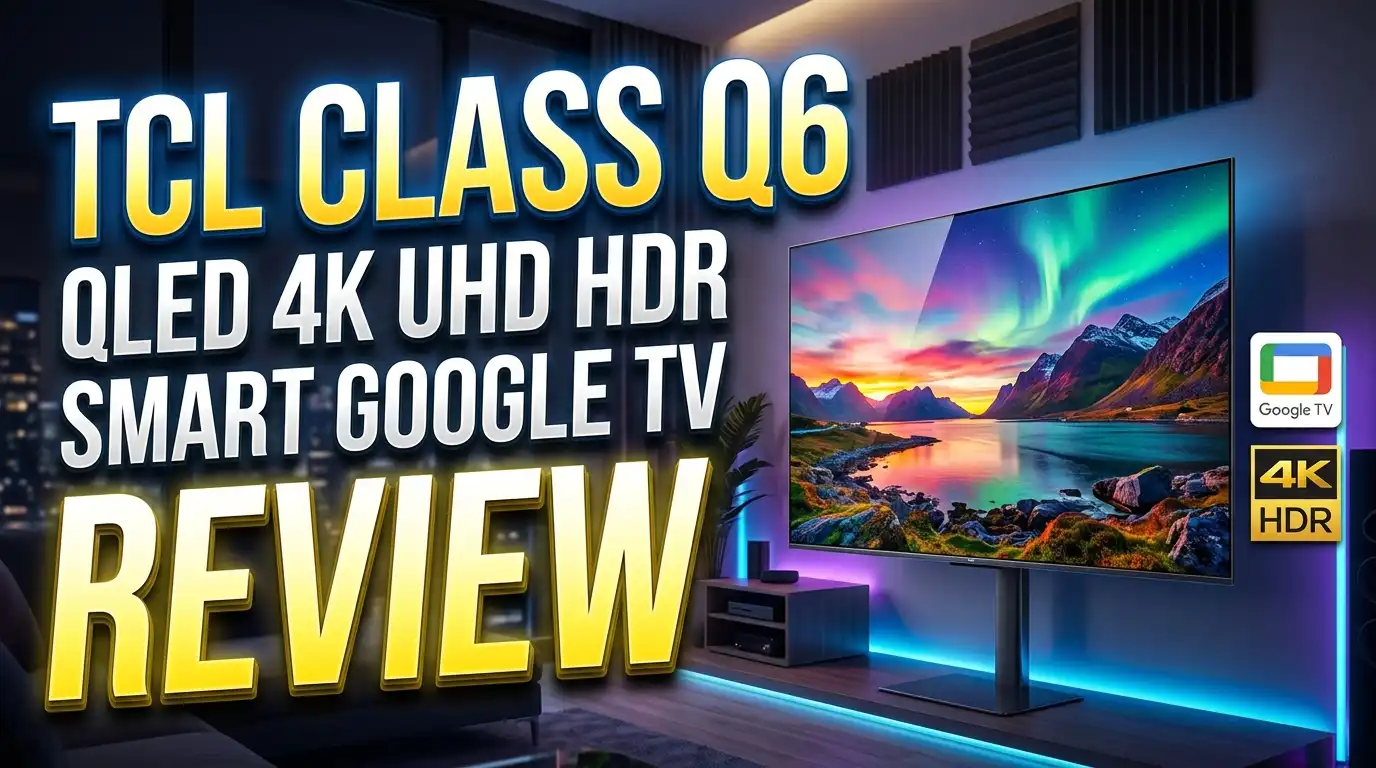
TCL Class Q6 QLED 4K UHD HDR Smart Google TV Review 2026: Is This Worth Buying?
The TCL Class Q6 has become one of the most talked about budget TVs on Amazon. It promises QLED color, 4K resolution, and Google TV at a price that undercuts almost every big brand. But a low price always raises one question. Does it actually perform, or does it cut too many corners?
This review answers that question in plain terms. I looked at picture quality, sound, gaming, the smart platform, and real owner feedback. I also compared it to popular rivals so you know exactly where it stands in 2026.
The Q6 sits in TCL’s lower mid range lineup. It targets shoppers who want a bright, colorful screen without paying flagship money. Many buyers love it for everyday TV, sports, and casual gaming. Others wish it had a few extra features.
By the end of this post, you will know who should buy the Q6 and who should look elsewhere. Let us break it all down.
Key Takeaways
- The TCL Q6 is a budget QLED TV with 4K resolution, quantum dot color, and the Google TV operating system built in.
- It supports Dolby Vision, HDR10, HDR10+, and Dolby Atmos, which is rare at this price point.
- The screen reaches decent brightness for a budget set, so it looks good in bright living rooms.
- The Q6 uses a 60Hz panel with no local dimming, so black levels and motion are average, not great.
- Gamers get a Game Accelerator mode and low input lag, but no full HDMI 2.1 features for 4K 120Hz.
- The price is the main draw. It often drops below $300 to $500 depending on the screen size, making it strong value for casual viewers.
What Is the TCL Class Q6 QLED TV?
The TCL Q6 is a 4K QLED smart TV that runs Google TV. TCL built it as an affordable step up from basic LED sets. The Q in the name points to quantum dot technology, which boosts color.
QLED means the screen uses a quantum dot layer. This layer helps the TV show more colors and brighter shades. Regular cheap TVs cannot match this level of color depth.
The Q6 comes in many sizes. You can buy it as small as 43 inches or as large as 85 inches. This wide range makes it easy to fit any room.
It carries the model code Q651G for the 2024 version. TCL releases new versions each year, so you may see slightly different model numbers in stores. The core features stay similar across these updates.
The TV ships with a voice remote and Google Assistant built in. You can search for shows, control smart home gear, and open apps using your voice. This adds real convenience.
TCL positions the Q6 as a value pick. It is not a home theater showpiece. Instead, it gives you strong color, 4K detail, and a smart platform for a low price. That mix explains why it sells so well.

- 4K UltraHD Resolution - Experience incredible detail with 4X the resolution of 1080p Full HDTVs.
- QLED PRO – Quantum Dot Technology - Rich, vibrant colors covering nearly the entire DCI-P3 color space to bring images to life.
Last update on 2026-10-23 / Affiliate links / Images from Amazon Product Advertising API
TCL Q6 Design and Build Quality
The TCL Q6 keeps a simple, clean look. It has thin bezels around the screen, so your eyes stay on the picture. The frame is mostly plastic, which is normal at this price.
The TV is slim from the front but thicker from the side. This is because it uses a standard LED backlight, not a slim panel. Most buyers will not notice once it sits on a stand or wall.
It comes with two feet that attach near the edges. You need a wide table to support the larger sizes. If your stand is narrow, plan to wall mount it instead.
The Q6 supports VESA wall mounts, so you can hang it easily. Wall mounting also helps the TV look cleaner in a living room. TCL keeps the back ports easy to reach.
Build quality feels solid for a budget set. The panel does not flex much, and the feet hold firm. You should not expect premium metal, but nothing feels cheap or fragile.
The included remote is light and basic. It has quick buttons for Netflix, YouTube, and other apps. The remote is not backlit, which some owners wish it had. Still, it works well for daily use and feels comfortable in the hand.
Picture Quality and QLED Performance
Picture quality is where the Q6 earns its fans. The quantum dot layer gives rich, punchy colors. Reds, greens, and blues look vivid and lively on screen.
The TV reaches good brightness for its class. It handles bright rooms well, so sunlight and lamps do not wash out the image. This makes it a strong daytime TV.
Sharpness is solid thanks to the 4K resolution. Text looks crisp, and detailed scenes show fine texture. The TV also upscales HD content to fill the screen with extra clarity.
Now for the honest part. The Q6 uses a panel with no local dimming. This means black levels look gray in dark scenes. In a dark room, the picture loses some depth and contrast.
Color accuracy is better than expected after a few quick settings tweaks. Out of the box, it leans slightly bright and cool. A short adjustment helps colors look more natural.
Viewing angles are average. If you sit straight in front, the picture looks great. If you sit off to the side, colors fade a little. This is common for budget VA panels. For most living rooms, the Q6 still delivers a pleasing, colorful image that satisfies casual viewers.
HDR Support and Dolby Vision
HDR makes bright parts brighter and dark parts more detailed. The Q6 supports a full set of HDR formats. This is unusual and impressive for a budget TV.
It handles HDR10, HDR10+, and Dolby Vision. Dolby Vision is the standout here. Many cheap TVs skip it, but the Q6 includes it. This means Netflix and Disney Plus shows look richer.
When you play HDR content, colors get more pop and depth. Highlights like sunlight or fire shine brighter. The extra format support future proofs the TV for years.
Here is the catch. The Q6 cannot hit the high brightness levels that premium HDR needs. Without local dimming, HDR scenes do not reach their full impact. The effect is mild, not jaw dropping.
Still, HDR content looks clearly better than standard content on this TV. You will notice improved color and a slightly brighter picture. That is a real win at this price.
For casual viewers, the HDR support adds value. You get the right formats and a noticeable upgrade in supported shows. Just keep your expectations realistic. The Q6 gives you a taste of HDR, not the full premium experience. For the money, that trade is fair and most owners feel happy with it.
Google TV Smart Platform Features
The Q6 runs Google TV, one of the best smart platforms available. It feels fast, modern, and easy to use. This is a big plus over older, clunky systems.
Google TV puts all your apps in one place. You get Netflix, YouTube, Prime Video, Disney Plus, Hulu, and thousands more. The app store is huge and well stocked.
The home screen shows smart recommendations. It pulls shows from all your services and suggests what to watch. This saves time when you cannot decide.
You also get Google Assistant built in. Press the voice button and ask for a movie, weather, or smart home control. The TV responds quickly and accurately.
The platform supports multiple user profiles. Each person gets their own watchlist and suggestions. This helps families keep things organized.
Casting works smoothly with built in Chromecast. You can send video from your phone straight to the screen. This makes sharing photos and clips simple.
Some owners report occasional slowdowns over time. The TV has limited storage, so heavy app use can slow it down. A quick restart usually fixes any lag. Overall, Google TV remains one of the strongest reasons to pick the Q6 over other budget brands. It feels smart, smooth, and genuinely useful for daily streaming.
Top 3 Alternatives for TCL Class Q6 QLED 4K UHD HDR Smart Google TV
If the Q6 does not fit your needs, here are three strong picks. Each one offers something the Q6 lacks, like better contrast or more gaming features. These are popular, well reviewed options on Amazon for 2026.
The Hisense U6N brings Mini LED and local dimming for far deeper blacks. The TCL Q7 steps up with 120Hz and HDMI 2.1 for serious gamers. The Hisense QD6 offers a lower price with the Fire TV platform.

- MINI-LED WITH FULL ARRAY LOCAL DIMMING – Experience the latest in backlight technology. Mini-LED is big on details, showing you the stars...
- QLED QUANTUM DOT COLOR – See color like you’ve never seen it before. QLED Quantum Dot Technology, significantly broadens the range of...
Last update on 2026-10-23 / Affiliate links / Images from Amazon Product Advertising API

- 4K Ultra HD Resolution: Experience incredible detail with 4X the resolution of 1080p Full HDTVs. .Standby Power :<0.5 watts
- QLED – Quantum Dot Technology with UltraWide Color Gamut: Enjoy over a billion colors for richer and more lifelike images.
Last update on 2026-10-12 / Affiliate links / Images from Amazon Product Advertising API

- QLED Color With Over A Billion Vibrant Shades
- AI 4K Upscaler For Enhanced Clarity
Last update on 2026-10-23 / Affiliate links / Images from Amazon Product Advertising API
Each alternative serves a different buyer. Pick the U6N for movie nights, the Q7 for gaming, and the QD6 for tight budgets.
Gaming Performance on the TCL Q6
The Q6 works well for casual gaming. It has low input lag, so button presses feel quick on screen. This matters for action games and shooters.
TCL includes a feature called Game Accelerator. This mode lowers blur and improves responsiveness. It activates automatically when you start a game.
The TV also supports Auto Low Latency Mode, known as ALLM. This switches the TV into game mode on its own. You do not need to dig through menus.
Here is the limit. The Q6 uses a 60Hz panel. It cannot run 4K games at 120 frames per second. Serious console gamers will feel this gap.
The HDMI ports are HDMI 2.0, not 2.1. This means no 4K 120Hz from a PS5 or Xbox Series X at full quality. The Q6 caps high frame rate play.
For most gamers, the Q6 still feels smooth and fun. If you play single player games, sports titles, or older consoles, it works great. The low lag and Game Accelerator make casual sessions enjoyable. But competitive players who want 120Hz should choose the TCL Q7 instead. It adds the gaming features the Q6 leaves out.
Sound Quality and Audio Features
The Q6 has built in speakers that handle daily use. They get loud enough for a normal room. Dialogue stays clear during shows and news.
The TV supports Dolby Atmos. This format adds a sense of height and space to sound. It helps movies feel more immersive when content supports it.
Here is the reality. The built in speakers are small. They lack deep bass and full power. Action scenes and music can sound thin at high volume.
This is normal for thin, budget TVs. The slim frame leaves little room for big speakers. The Q6 trades audio power for a slim, low cost design.
For everyday watching, the sound works fine. You will hear dialogue and effects clearly. Casual viewers will feel satisfied with the stock audio.
For movie fans, a soundbar is worth adding. Even a cheap soundbar lifts the experience a lot. It adds bass, clarity, and room filling sound. The Q6 supports audio output through HDMI ARC, so connecting one is simple. I strongly suggest pairing this TV with a soundbar if you care about immersive audio.
TCL Q6 Connectivity and Ports
The Q6 covers the basic ports most homes need. It has multiple HDMI inputs for your devices. You can connect a console, streaming stick, and cable box at once.
It includes HDMI ARC support. This lets you send audio to a soundbar with one cable. The setup stays clean and simple.
You also get a USB port for media playback. Plug in a drive to watch your own videos or photos. Owners report it reads large drives well.
For internet, the Q6 has built in Wi-Fi. It also has an Ethernet port for a wired connection. A wired link gives more stable streaming for 4K content.
The TV supports Bluetooth too. You can connect wireless headphones or a speaker. This is handy for late night viewing without noise.
The main limit is the HDMI 2.0 standard. This caps high frame rate gaming as noted earlier. For streaming and normal devices, it works perfectly fine. The port mix covers the needs of most households without trouble. Just remember the gaming cap if you own a new console and want maximum performance from it.
Setup and Ease of Use
Setting up the Q6 is quick and simple. You attach the feet or mount it, then plug it in. The first boot walks you through each step.
Google TV guides you through account sign in. You log in with your Google account to load your apps and settings. The process feels smooth and clear.
The TV downloads your apps fast. You can also use the Google Home app on your phone to speed things up. This copies your Wi-Fi and account details over.
Daily use feels easy. The remote has direct app buttons for fast access. You can jump into Netflix or YouTube with one press.
Voice control adds more ease. Just ask Google Assistant to open apps or find shows. This helps when you do not want to type.
Most owners call the setup painless. Even people new to smart TVs find it friendly. The menus are clean and well laid out. Within minutes, you can start streaming. The simple setup is one more reason the Q6 appeals to a wide range of buyers, from tech fans to first time smart TV owners who want zero hassle.
TCL Q6 vs TCL Q7: Which Should You Buy?
Many shoppers compare the Q6 with the TCL Q7. Both are QLED Google TVs, but they target different buyers. The choice depends on your needs.
The Q6 is the cheaper, simpler model. It offers good color and 4K at a low price. It suits casual viewers and daily streaming.
The Q7 costs more but adds key upgrades. It has a 120Hz panel, HDMI 2.1 ports, and local dimming. These features improve gaming and contrast.
For gaming, the Q7 wins clearly. It supports 4K at 120Hz for new consoles. The Q6 caps out at 60Hz, so it falls behind here.
For movies, the Q7 also leads. Its local dimming gives deeper blacks in dark scenes. The Q6 cannot match this contrast.
So who should pick the Q6? Choose it if you want a budget friendly TV for normal viewing. The color and smart features are great for the price. Pick the Q7 if you want better gaming and contrast and can spend more. Both are good TVs. The right one simply matches your budget and how you plan to use it.
What Real Owners Say About the TCL Q6
Owner reviews paint a clear picture. Most buyers feel happy with the Q6 for the price. They praise the color, size options, and easy setup.
Many owners highlight the value. They call it a great deal during sales. Some bought large sizes for under $500 and felt thrilled.
Reviewers love the bright, colorful screen. They say it looks vivid for sports and shows. The Google TV platform also earns steady praise for being smooth.
Some owners mention the average black levels. People who watch in dark rooms notice the gray tones. This is the most common complaint.
A few report occasional software lag over time. A restart usually fixes it. This is a minor issue for most users, not a deal breaker.
The overall mood is positive. Buyers who wanted a cheap, big, colorful TV feel satisfied. Buyers who expected premium contrast feel slightly let down. The pattern is clear. Set your expectations to match the budget price. When you do, the Q6 tends to exceed what people expect from such an affordable set. That balance keeps its ratings high across Amazon and other stores.
Is the TCL Q6 Worth Buying in 2026?
The big question is value. In 2026, the Q6 remains a strong budget pick. It delivers color, 4K, and Google TV at a low price that few rivals beat.
The TV shines for casual, everyday use. It handles streaming, sports, and bright rooms well. The smart platform stays fast and modern.
It is not built for home theater fans. The lack of local dimming hurts dark room movies. Serious viewers should spend more on a Mini LED set.
For gamers, it works for casual play. But competitive gamers need the 120Hz and HDMI 2.1 found on higher models. The Q6 covers the basics only.
The price keeps the Q6 attractive. When it drops on sale, it offers excellent value per dollar. Few TVs give this much screen and color for the money.
So is it worth buying? Yes, for the right buyer. If you want a large, colorful, smart TV without spending much, the Q6 delivers. If you crave deep blacks or top tier gaming, look at the alternatives above. For most homes that simply want a solid daily TV, the Q6 is an easy recommendation in 2026.

- 4K UltraHD Resolution - Experience incredible detail with 4X the resolution of 1080p Full HDTVs.
- QLED PRO – Quantum Dot Technology - Rich, vibrant colors covering nearly the entire DCI-P3 color space to bring images to life.
Last update on 2026-10-23 / Affiliate links / Images from Amazon Product Advertising API
Frequently Asked Questions
Does the TCL Q6 have local dimming?
No, the TCL Q6 does not have local dimming. This means black levels look gray in dark scenes. The picture is still bright and colorful, but contrast stays average. If you want deeper blacks, look at the Hisense U6N or the TCL Q7 instead.
Is the TCL Q6 good for gaming?
The Q6 is good for casual gaming. It has low input lag, ALLM, and a Game Accelerator mode. But it uses a 60Hz panel and HDMI 2.0 ports. This means no 4K at 120Hz. Serious gamers should pick the TCL Q7 for full gaming features.
What smart platform does the TCL Q6 use?
The TCL Q6 runs Google TV. This platform offers thousands of apps, Google Assistant voice control, and built in Chromecast. It feels fast and modern. The home screen also gives smart recommendations across all your streaming services.
Does the TCL Q6 support Dolby Vision?
Yes, the Q6 supports Dolby Vision, HDR10, HDR10+, and Dolby Atmos. This is rare for a budget TV. Dolby Vision content from Netflix and Disney Plus looks richer and more colorful on this set.
What sizes does the TCL Q6 come in?
The TCL Q6 comes in many sizes. You can buy it from 43 inches up to 85 inches. This wide range fits bedrooms, living rooms, and large media spaces. Larger sizes offer great value during sales.
Should I add a soundbar to the TCL Q6?
Yes, a soundbar is a smart add on. The built in speakers handle daily use but lack deep bass. A soundbar adds clarity and power for movies and music. The Q6 supports HDMI ARC, so connecting one is quick and easy.
The TCL Class Q6 proves that budget TVs can still impress. It blends vivid QLED color, full HDR support, and Google TV into a low cost package. For casual viewers who want a big, bright screen, it is one of the best value picks of 2026.

Hi there! I’m Jinny, the tech enthusiast behind GadgetInsight. I spend my days unboxing the newest devices, diving deep into their features, and figuring out how they can genuinely improve your life – or if they’re worth your hard-earned money at all.